YOUR day rarely happens in one app. You’re replying to a friend, checking directions, saving a cafe someone recommended, then trying to find that photo you promised to share.
When your phone keeps you waiting or makes simple things feel like a chore, the little interruptions add up.
OPPO’s new operating system, ColorOS 17, is designed to smooth out those everyday snags, with a refreshed look and AI features that can help you find, organise, create and connect more seamlessly.
Smooth, from the first swipe
ColorOS 17’s Living Flow Design brings together softer visuals, fluid movement and responsive touch effects.
Buttons and controls subtly compress and rebound when tapped, while transitions adapt to the speed of your gestures. The idea is to make each tap feel connected to what happens next.
The details show up across the system. A clock can be resized and repositioned, then move smoothly between the Always-On Display, Lock Screen and Home Screen.
The Mountain Way weather theme brings in changing sunlight, rain and snow. Even the lighting in Fluid Cloud, which displays live alerts, responds when you interact with it.
Behind these visual touches, the Luminous Rendering Engine and Unified Rendering Architecture work together to handle graphics.
By combining previously separate rendering processes, OPPO says the system can support richer effects while reducing rendering load by up to 30% and RAM used for rendering by up to 25% in key scenarios, compared with the previous generation.
The Laminar Flow Engine and Adaptive Scheduling Architecture manage how the phone handles foreground and background tasks.
That can help when you’re moving between a map, messages and music, or returning to the Gallery while other apps remain open.
According to OPPO, ColorOS 17 improves app launch stability by 55%, loads Gallery thumbnails up to 50% faster on first launch and can keep over 25% more apps running in the background than ColorOS 16.
In OPPO Lab tests simulating six years of use, the system retained over 90% of its initial smoothness, even when storage was 90% full.
Find photos and files without the scroll
The photo you want may be buried under months of dinners, screenshots and blurry group selfies.
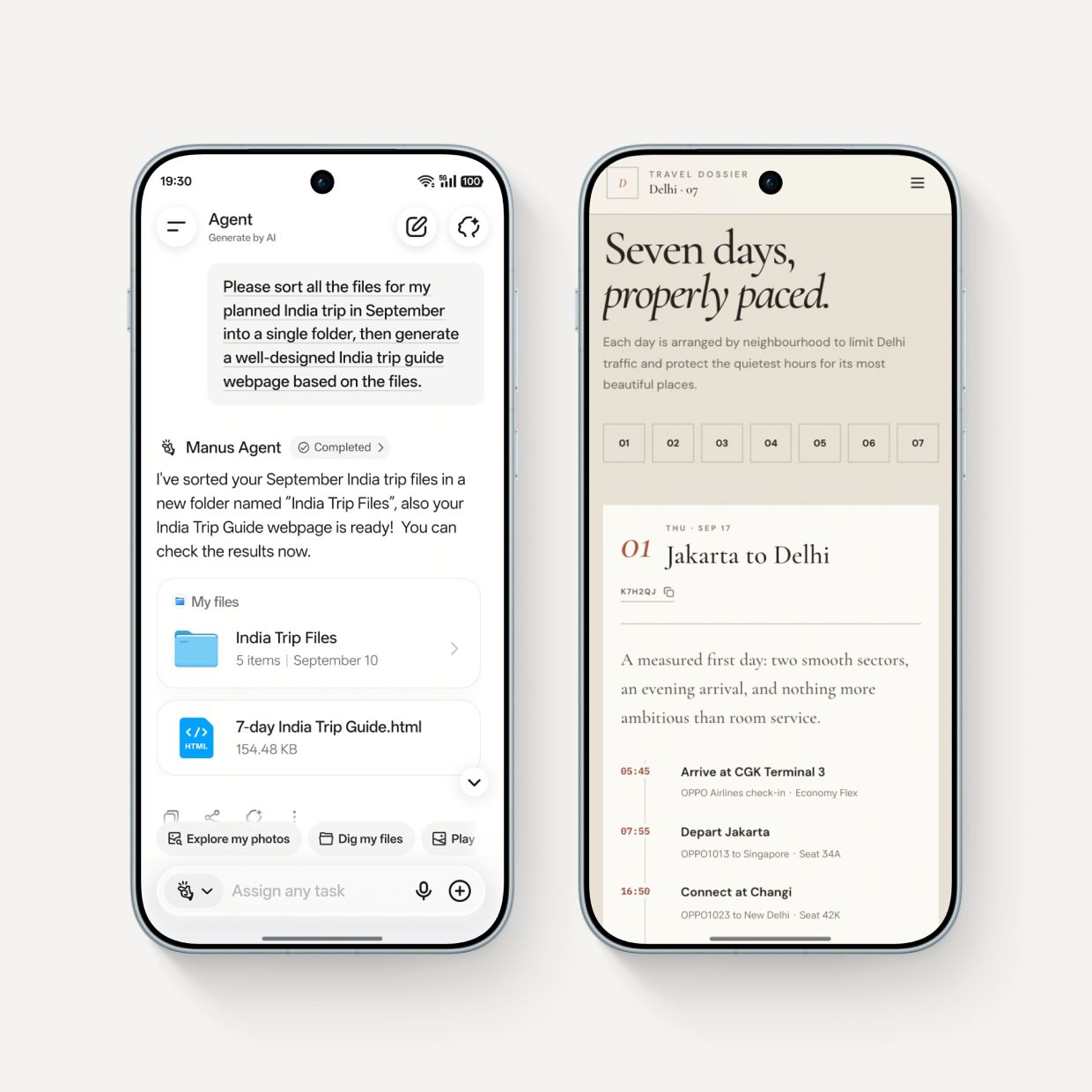
AI Mind Pilot’s Agent Mode can search photos and files stored on your phone, then organise them by details such as destination or person.
Planning a trip? Flight itineraries, hotel bookings, restaurant reservations and attraction tickets might be saved in different folders with unhelpful file names.
With a simple request, Agent Mode can gather relevant files into one folder and rename them based on their content and date. It can even use those details to create a travel itinerary, webpage or presentation.
On top of that, it helps with the post-holiday photo clean-up. Ask it to find pictures from a particular trip and organise them into albums.
If you remember a photo but can’t find it, just describe it – Agent Mode can locate the image and help turn it into a vlog cover or other creative content.
AI Mind Pilot also connects with AI services and can draw on information saved in AI Mind Space, so it can factor your notes and other saved material into its answers.
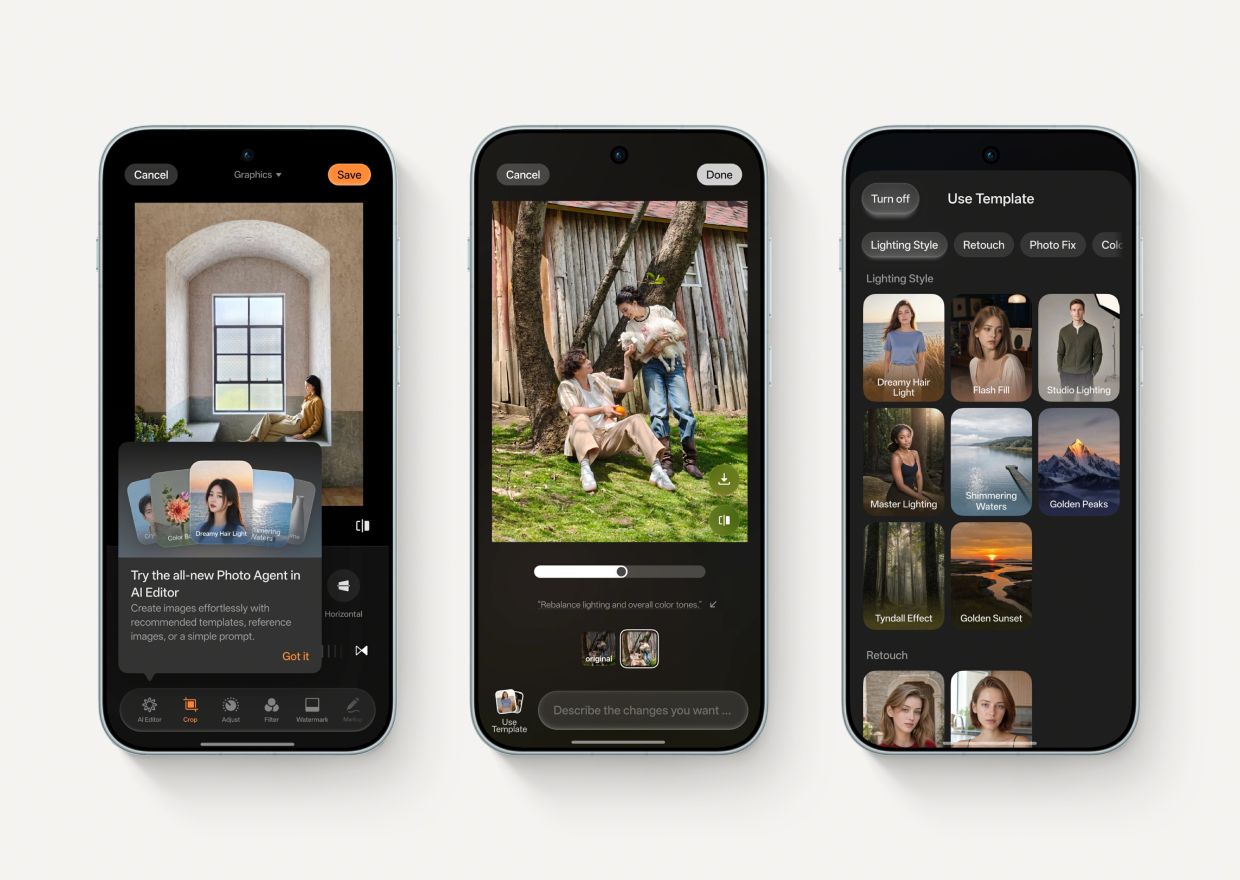
The AI Photo Agent, on the other hand, makes editing simpler.Edit Advice can suggest adjustments based on what’s in a photo; Prompt Edit lets you describe the change you want; and Style Match can use the lighting, mood and colours of a reference image to guide a similar look.
Save ideas and use them when you need them
AI Mind Space gives saved information a place to live. A press of the Snap Key or a three-finger swipe can save on-screen content for later.
Long-doc Capture can save an article without making you take screenshot after screenshot, and you can keep links to YouTube and TikTok videos.
Memory Collections groups related saved items, helping you find that recipe, travel tip or link again instead of digging through your camera roll or message history.
And when you’re planning a trip, AI Mind Space can draw together saved destination details and generate a travel map.
The AI Mind Suggest feature is designed to surface timely details before you go looking for them.
Depending on the service and region, that could mean a morning brief, flight information or reminders and updates for a train journey. It can even suggest music when headphones are connected.
See, share and understand more
OSee is a standalone visual AI app. Just point the camera at something and it can bring up a relevant tool or useful information: look up a plant or animal, check nutrition details for food, scan a physical document, or translate a menu while travelling.
Want a friend to see the photo you just took? Touch to Share is designed to send it with a single tap.
The AI Live Interpreter feature is paired with supported earbuds, and translates a face-to-face conversation in real time: the translation plays through the earbuds while the conversation appears on the phone screen for the other person to follow. That means you can keep talking without passing the phone back and forth.
Privacy and security matter
When your phone’s AI is helping with personal files or photos, it’s natural to want to know where that information goes.
OPPO’s Private Computing Cloud protects data used for cloud-based AI with end-to-end encryption, in a secure environment designed to prevent access by third parties, including OPPO.
ColorOS 17 also adds additional encryption for data travelling between your phone and the cloud, designed to help guard against future threats from quantum computing.
And if you’re curious about what the AI has been doing, the Transparency Report lets you check which AI services were used, when they were accessed and what actions were performed. You can view or export the report right from your phone.
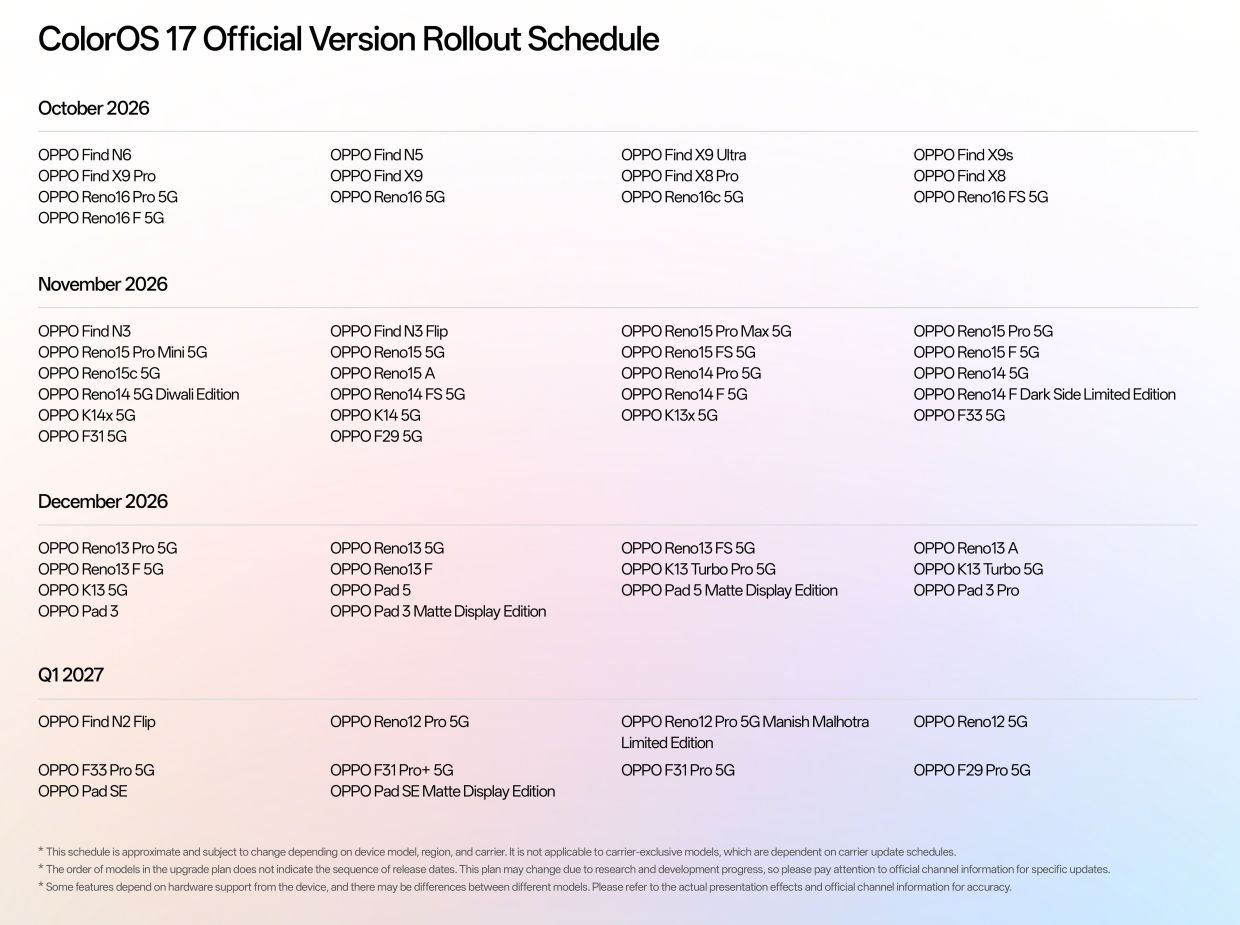
ColorOS 17 will debut on the upcoming OPPO Find X10 Series, with the rollout following the scheduled timeline.
Pre-orders for the all-new OPPO Find X10 Series are now open until Oct 29, with exclusive launch rewards worth up to RM4,771*.
Customers can enjoy exclusive freebies, and an additional trade-in rebate of up to RM800.
Flexible instalment options are also available via SPayLater and participating credit cards, Purchase-with-Purchase (PWP) offers for the OPPO Care Protection Plan, as well as My OPPO App vouchers and Masterclass privileges.
Secure your OPPO Find X10 Series pre-order today by visiting this link here. To find out more about the silky smooth, AI-powered flow of ColorOS 17, visit oppo.com/en/coloros17/
*Terms and conditions apply