




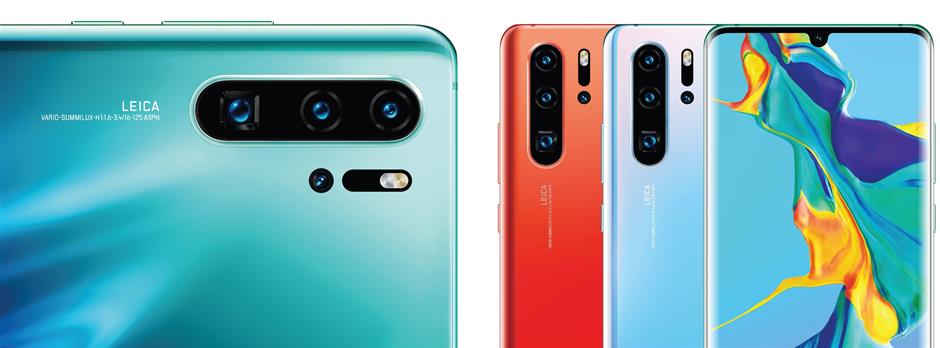
Is your first impression of the Huawei P30 Series that of a super camera system? It is in fact a smartphone that can capture photos perfectly without using a DSLR.
Moreover it has many more amazing camera features that will take your pictures to another level. So are you ready to know more?
Below are 10 photo modes you can use on the Huawei P30 Series and ways to activate each of them.
Huawei dual-view video
Do you know that Huawei P30 Pro has a dual-view video feature other than the starred camera features, such as ultra-wide angle lens and superzoom lens?
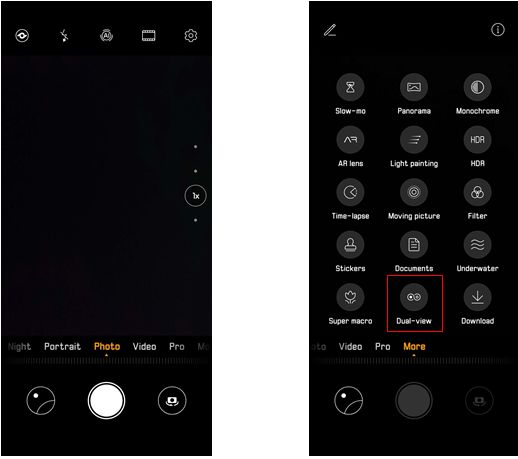
How amazing if you can watch the overall view and zoom into the characters’ actions at the same time with the two rear cameras. To achieve that, take the steps below:
To operate, turn on [Camera] – [More] – Select [Dual-View Video] to activate the new video recording mode. Zoom mode is supported in the Dual-View Video feature.
SuperZoom
Huawei P30 Pro’s new 8MP periscope telephoto lens offers 5x optical, 10x hybrid and 50x digital zooms. These amazing lenses even had one of the netizens stated that Huawei P30 Pro is a telescope smartphone. Check out these sample photos below:
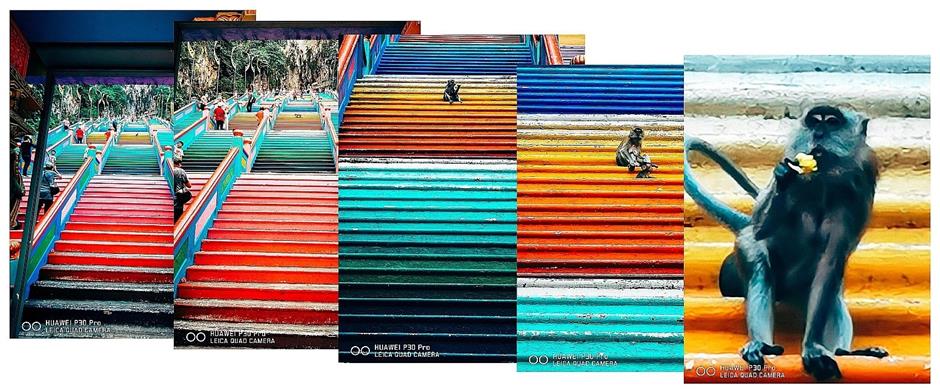
Images showing superb quality even when zooming to (from left) 0.6x, 1x, 5x, 10x and 50x.
To operate, turn on [Camera] default page, adjust the zoom with two fingers. The maximum zoom adjustment for the Huawei P30 is 30x, while Huawei P30 Pro has 50x.
Light evolution
The colour sensing rule has been rewritten by Huawei from RGGB to RYYB for absorbing more light in your images.
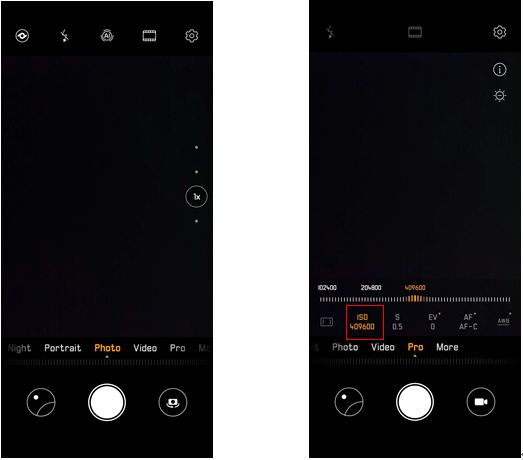
The light sensitivity of Huawei P30 approaches ISO 204,800, while P30 Pro pushes to ISO 409,600. These ISOs provide clear preservation of your memories during the day or night and allow you to lighten up dark areas.

To operate, turn [Camera] on, swipe to “Pro” mode for maximum ISO at 409,600 for Huawei P30 Pro.
Silky water mode
The stability for Huawei P30 Series’ built-in CMOS image sensor (CIS) and AI image stabilisation (AIS) has been upgraded, giving the phone a new anti-shake feature.
With that, here’s another new mode you can use to capture a long-exposure shot without using a tripod, which is the silky water photography. Even by hand-holding the smartphone, you can capture a silky water scenery shown in the images below:
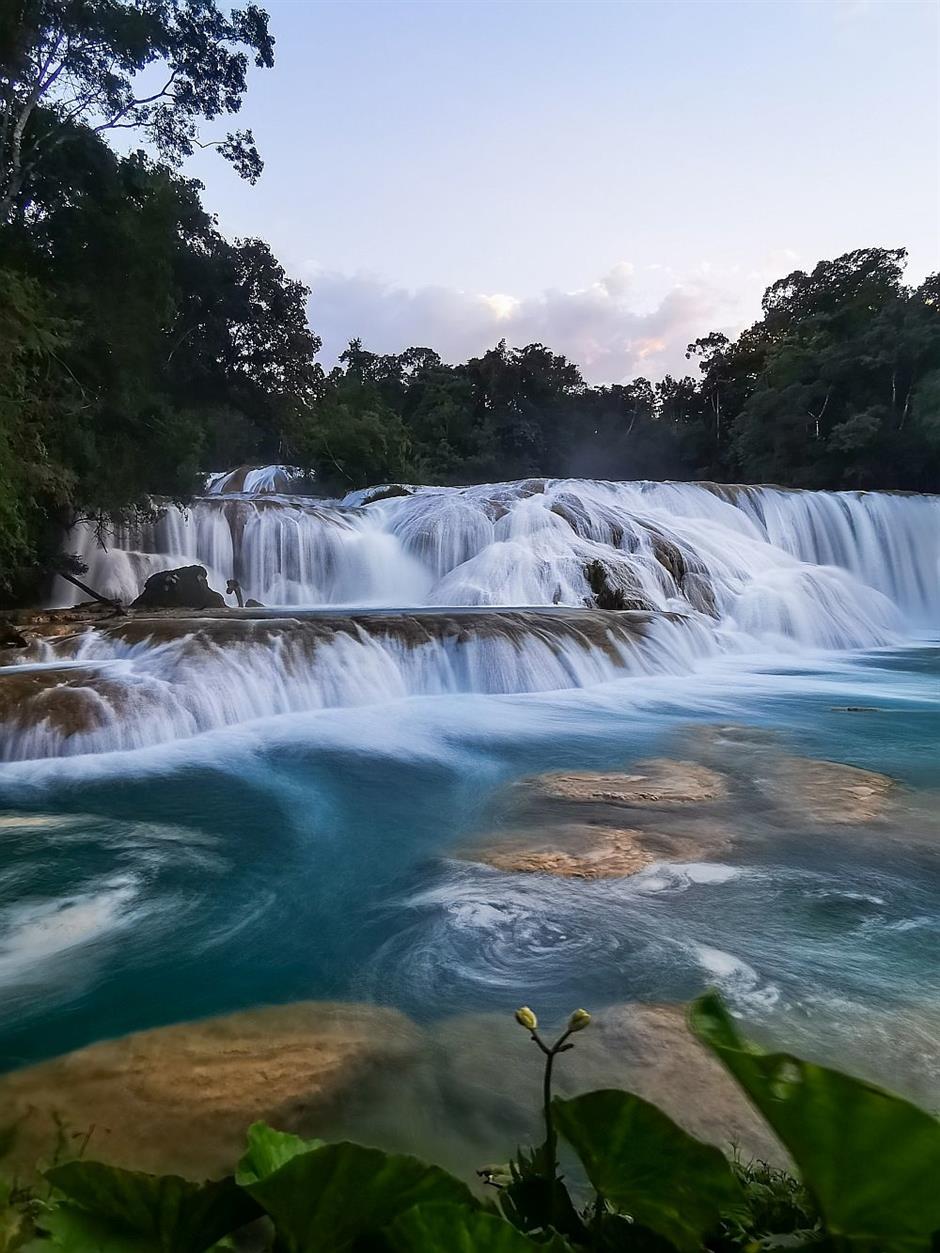
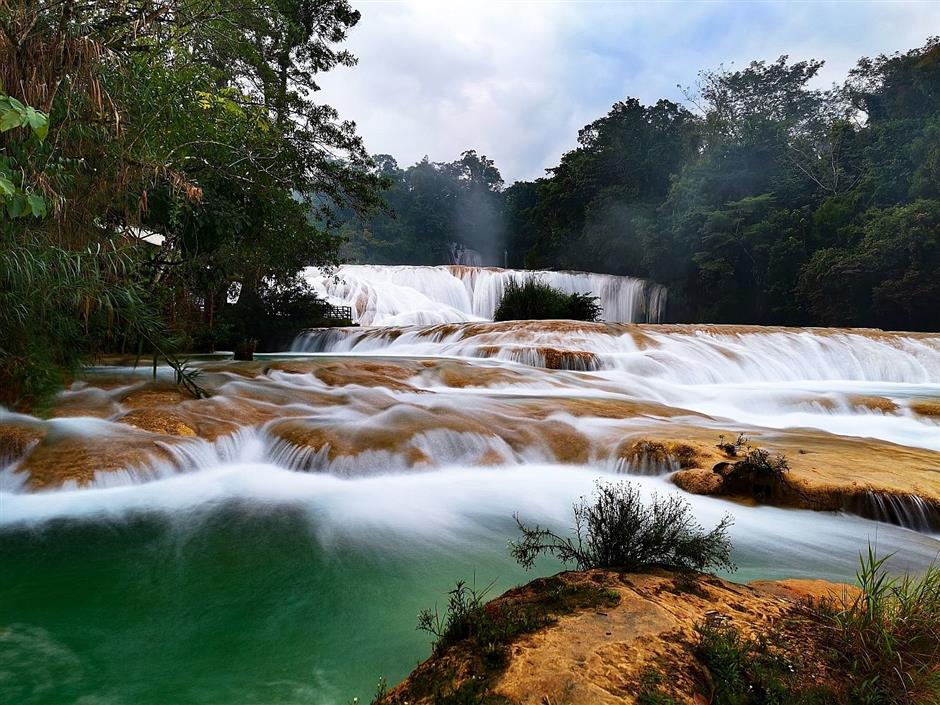
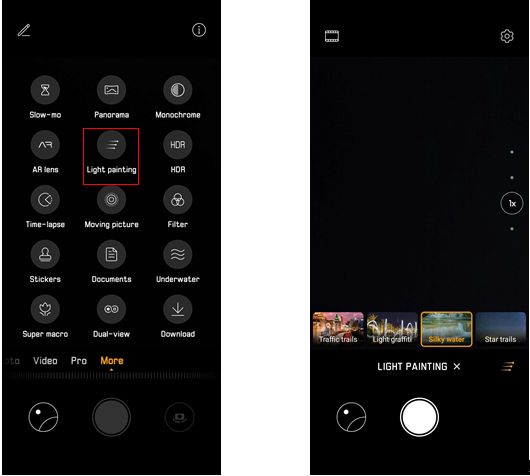
To operate, turn on [Camera] mode - {More} – [Light Painting], select “Silky Water”, then capture the scene by hand.
Macro-shooting
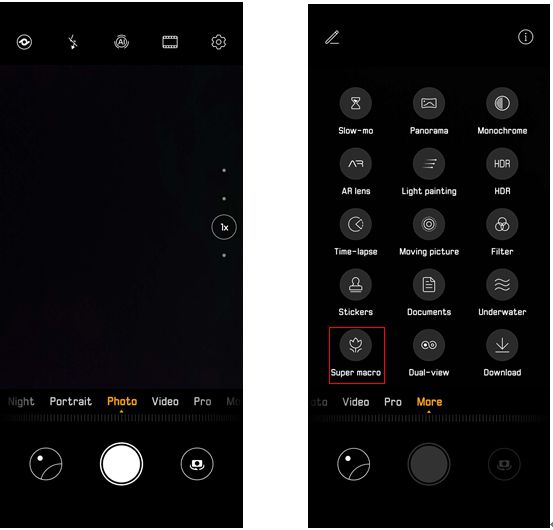
Huawei P30 Series has the same ultra-wide angle and 2.5cm super-macro mode as the Huawei Mate 20 Series. This allows the user to see the view from a broader perspective and discover a spectacular macro world.
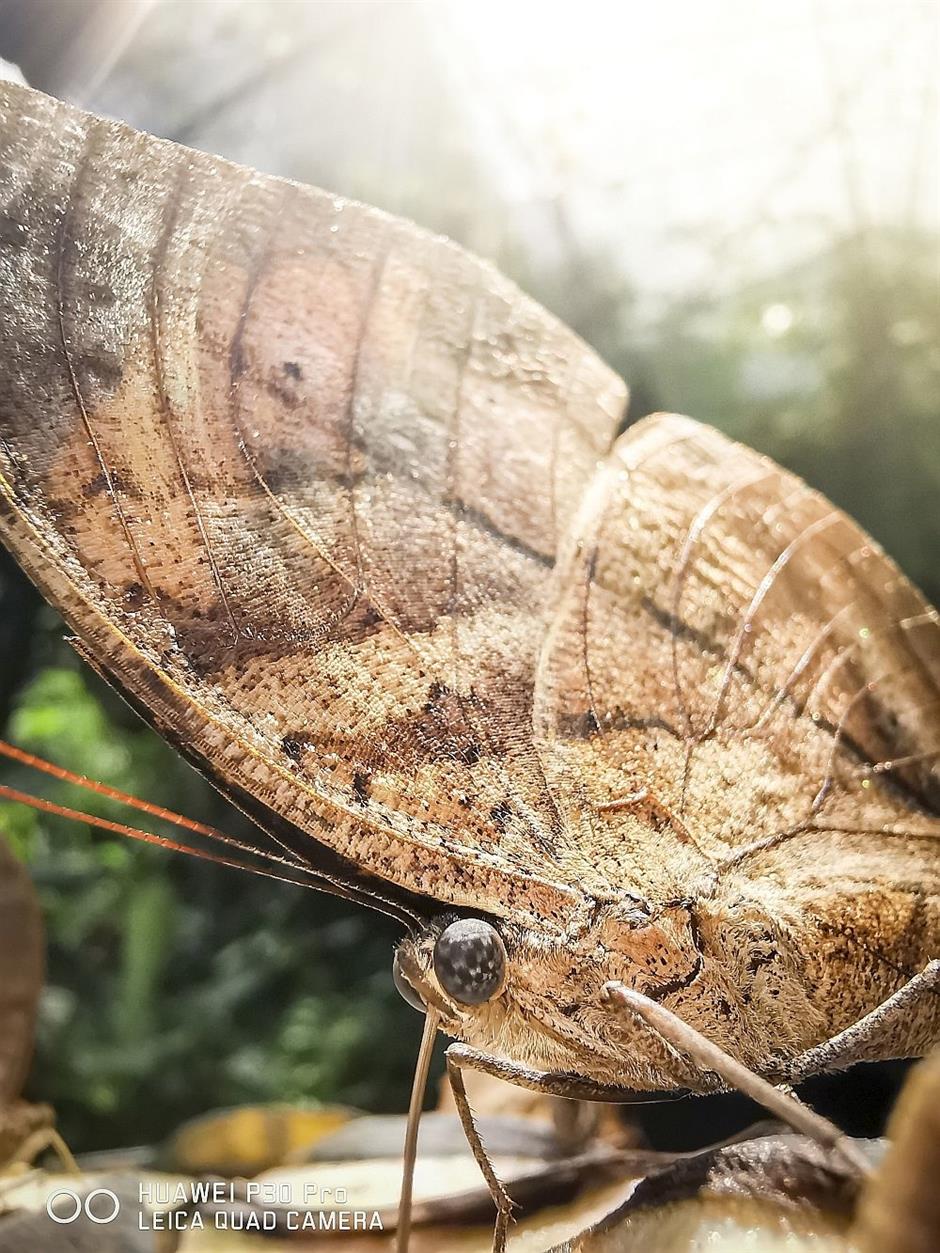
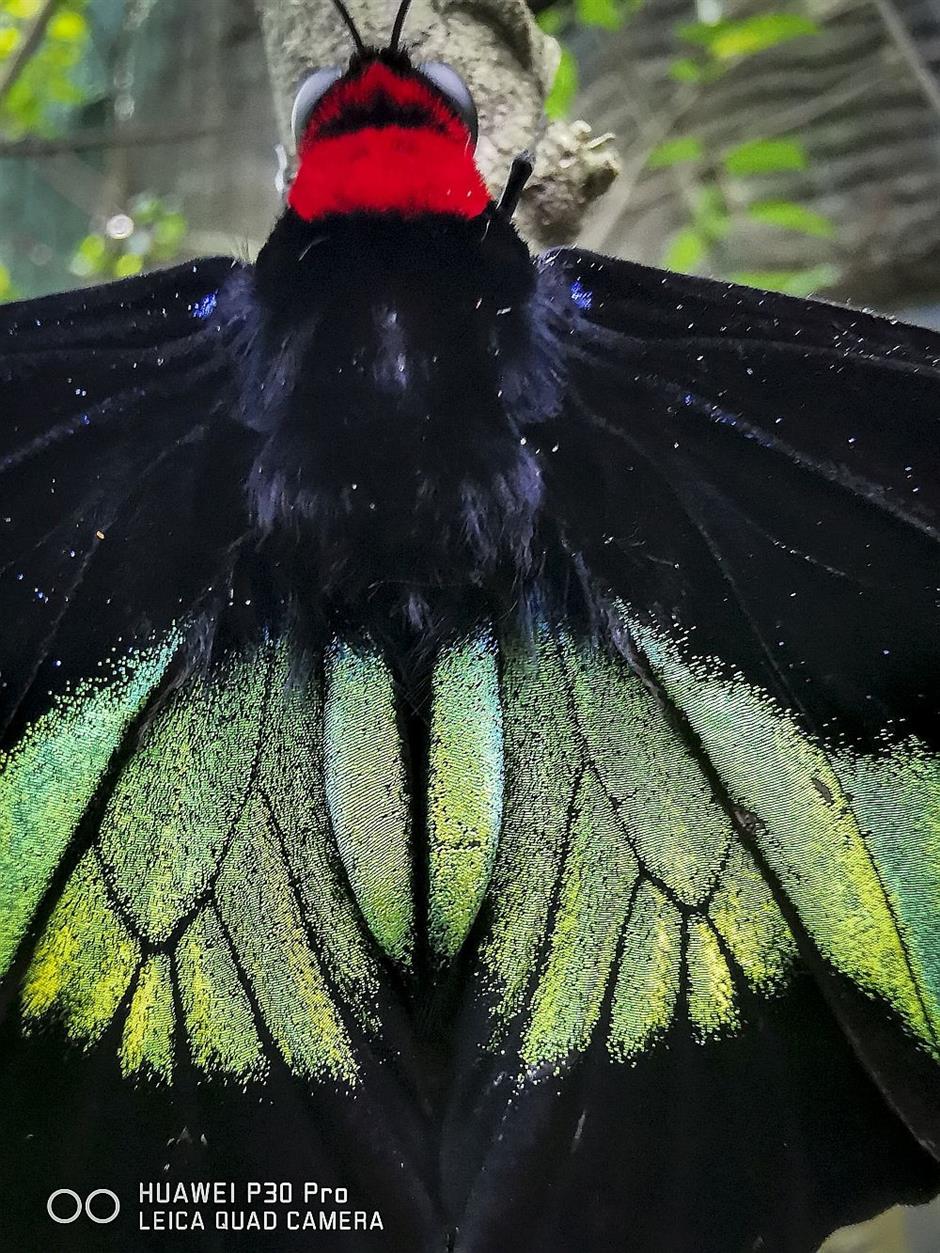
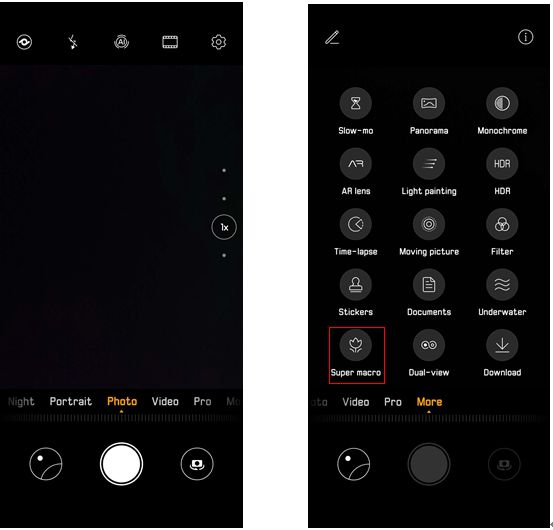
To operate, turn on [Camera] – [More], select [Super Macro].
Monochrome
In 2016, the first Huawei P9 Series started a monochrome trend worldwide. Now, the Huawei P30 Series continues this tradition with an evolution of past series.
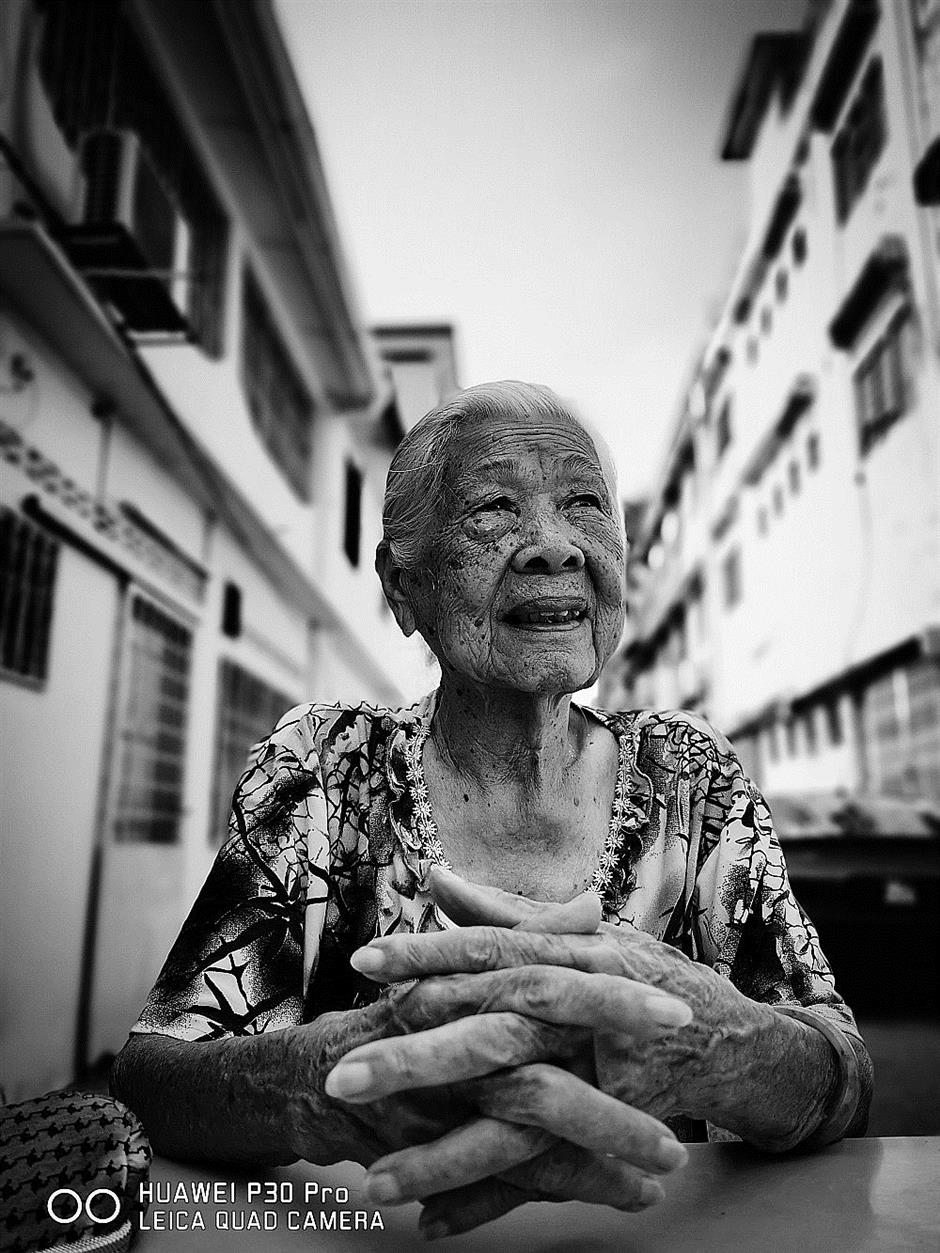
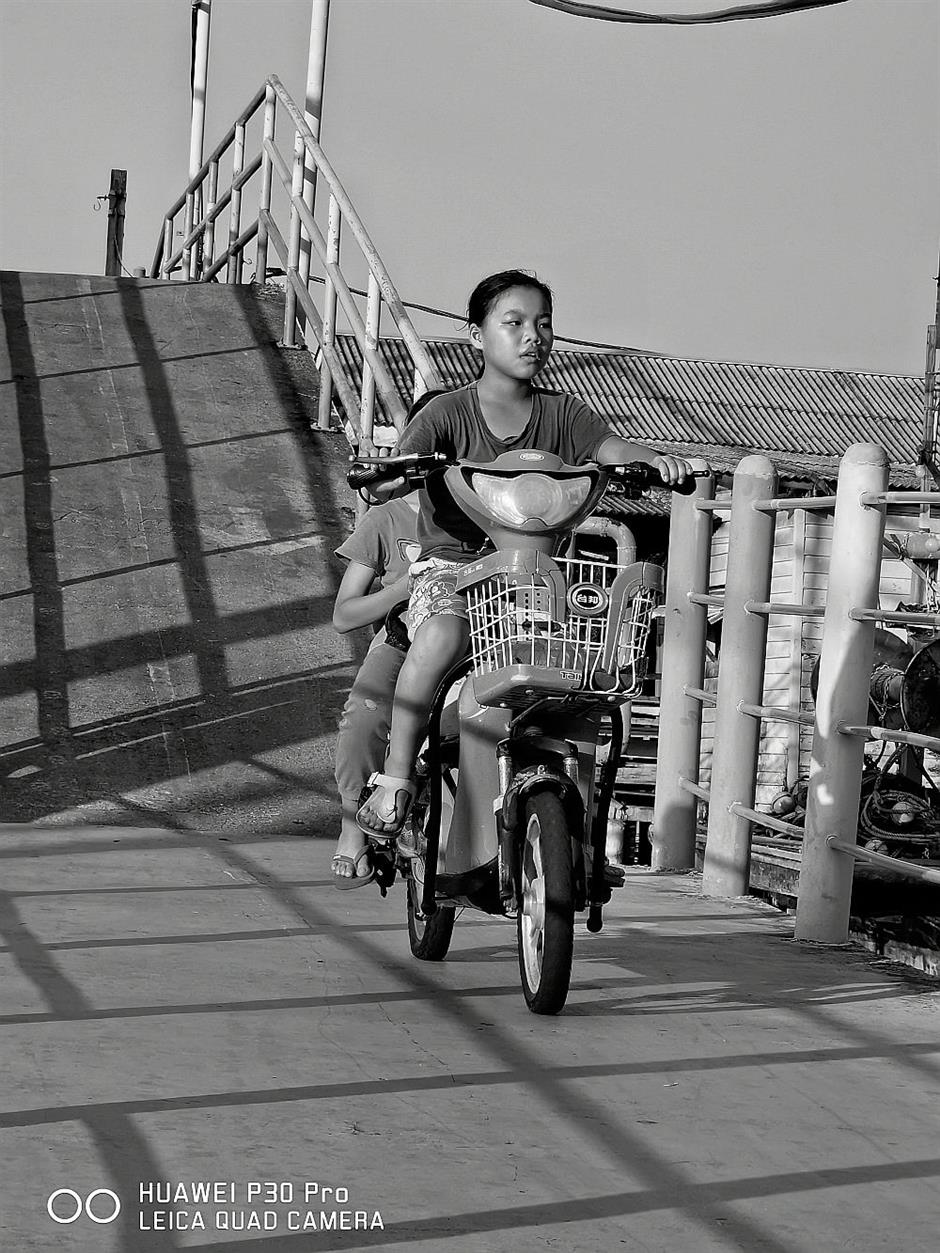
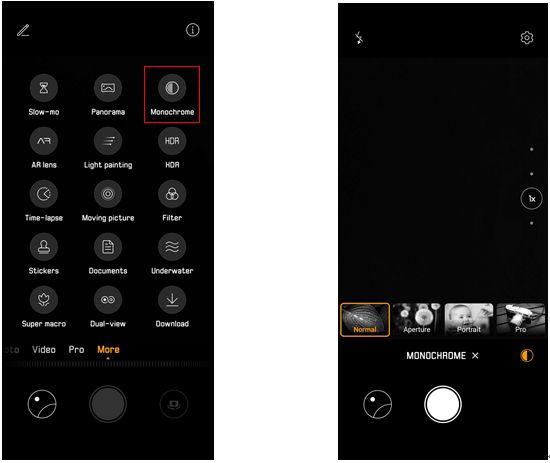
Operating method, turn on [Camera] – [More] – [Monochrome], there are four photography modes available as options; normal, aperture, portrait and pro.
Aperture
Aperture is a photo mode that highlights the subject you are photographing. Huawei offers apertures f/1.8 for the P30, while P30 Pro is upgraded with aperture f/1.6. This function brings out outstanding blurring background effect, which helps keep the foreground subject in focus.
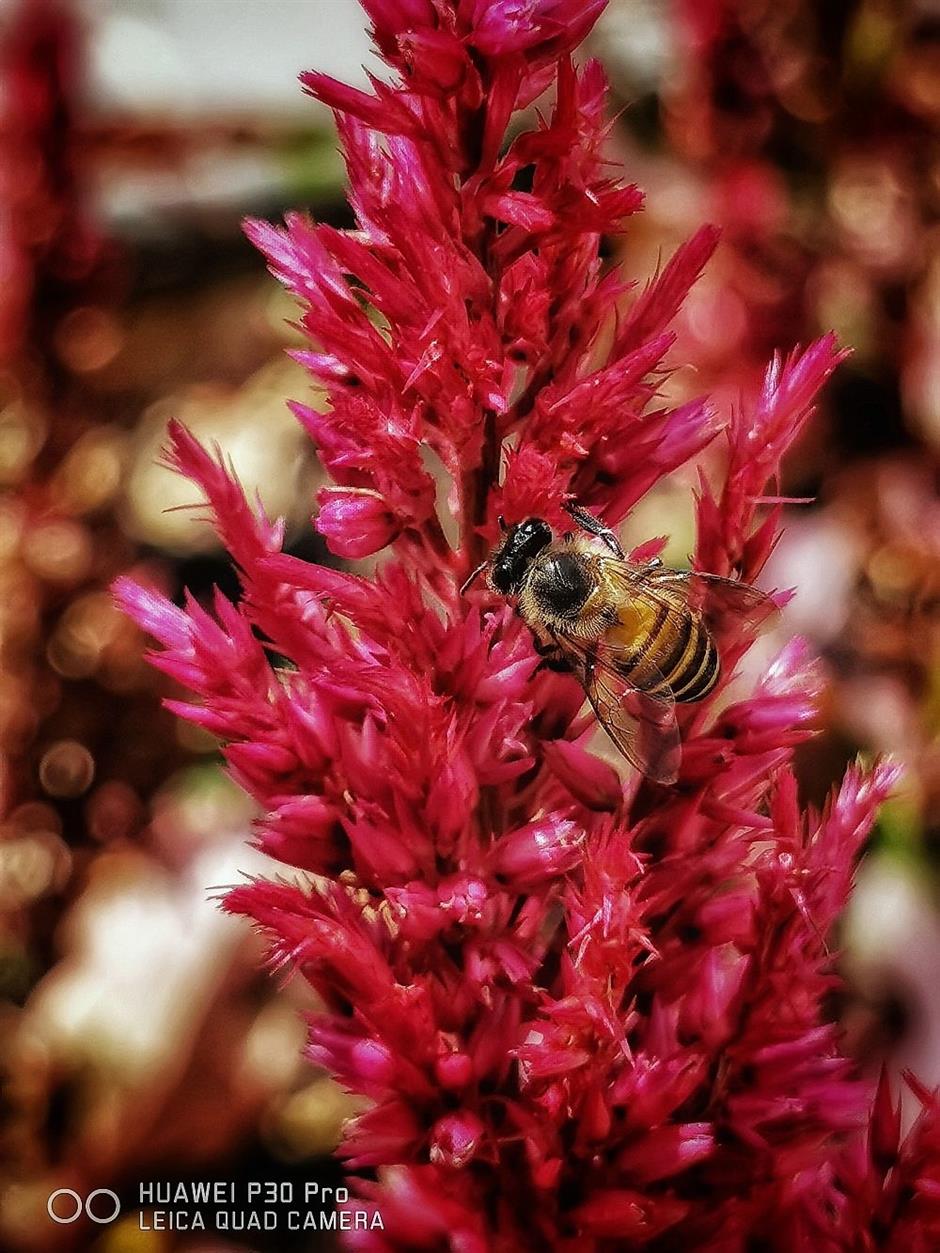
To operate, turn on [Camera], choose [Aperture], then adjust the parameters, such as focal length, focus point, aperture level according to the actual shooting scene.
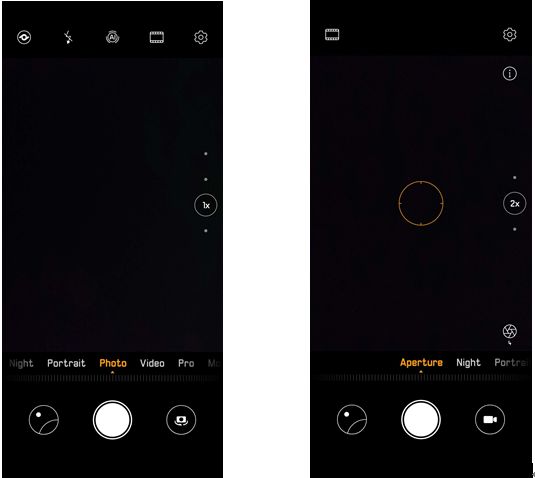
Portrait mode
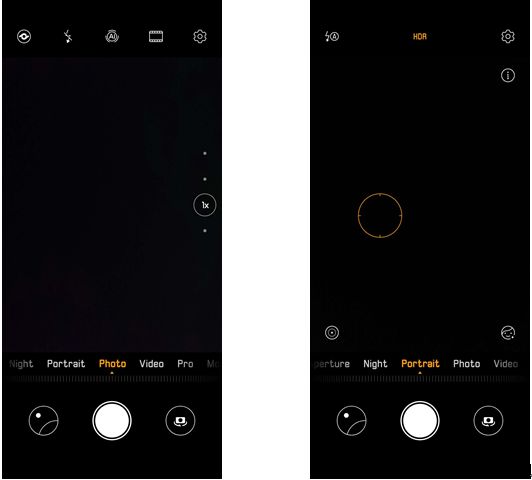
Want to capture fashion portrait shot using a smartphone? With the Huawei P30 Series it’s easy to capture a lovely portrait with a stunning scenery. Let’s try the Huawei P30 Series portrait mode now.
To operate, Huawei P30 Series is able to identify the scene and turn on portrait mode automatically. Or you can also turn [Portrait] on manually while in [Camera] mode.
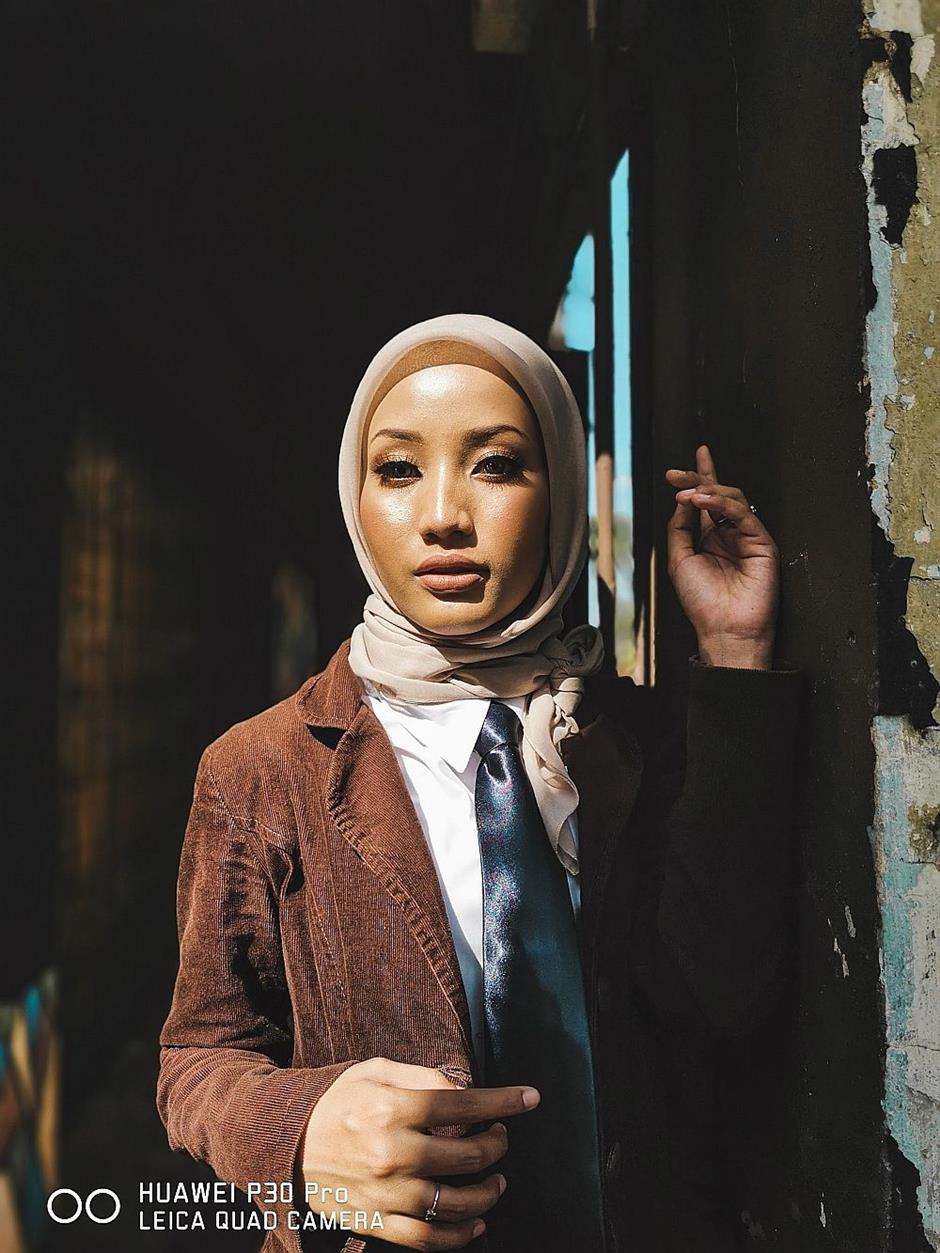
Fashion poster using portrait mode
A simple and clean background is ideal for portrait poster shooting. The Huawei P30 Pro’s TOF Camera in portrait mode measures the depth of objects with accuracy.
While the AIS Long Exposure Shot highlights the portrait and the sharpness self-adjusted to perfection. The camera’s enhancement layer highlights the shape, making your subject look outstanding in photos.
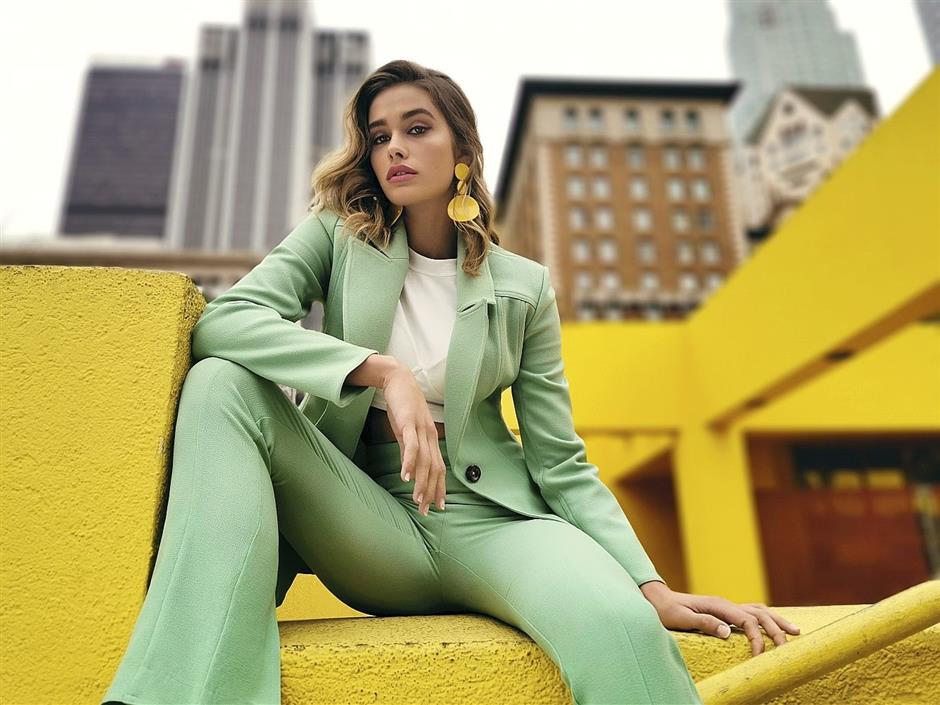
And if you are worried that your subject will be lost in the colourful background, this portrait mode progressively blurs the background with different creamy effects, giving a professional-level bokeh appearance.
The samples below are perfect examples of how the portrait mode works to perfection using a Huawei P30 Pro.

HDR mode
HDR increases the brightness and darkness of a photo, by capture three images continuously using different brightness, to compose a perfect end shot.
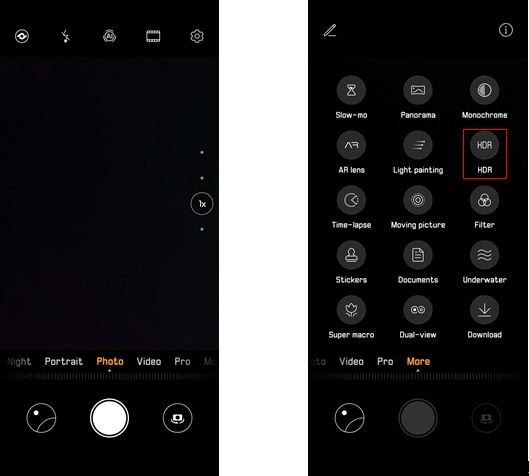
To operate, Huawei P30 Series is able to identify the scene and turn HDR on automatically. You can also go to [Camera] > [More] to switch it on manually.
Capturing amazing shadow lines in HDR mode
The strength of HDR is to provide texture to the subjects, such as buildings or detailed shadow lines. It balances the brightness and darkness, avoids overexposure and highlights details in the dark.
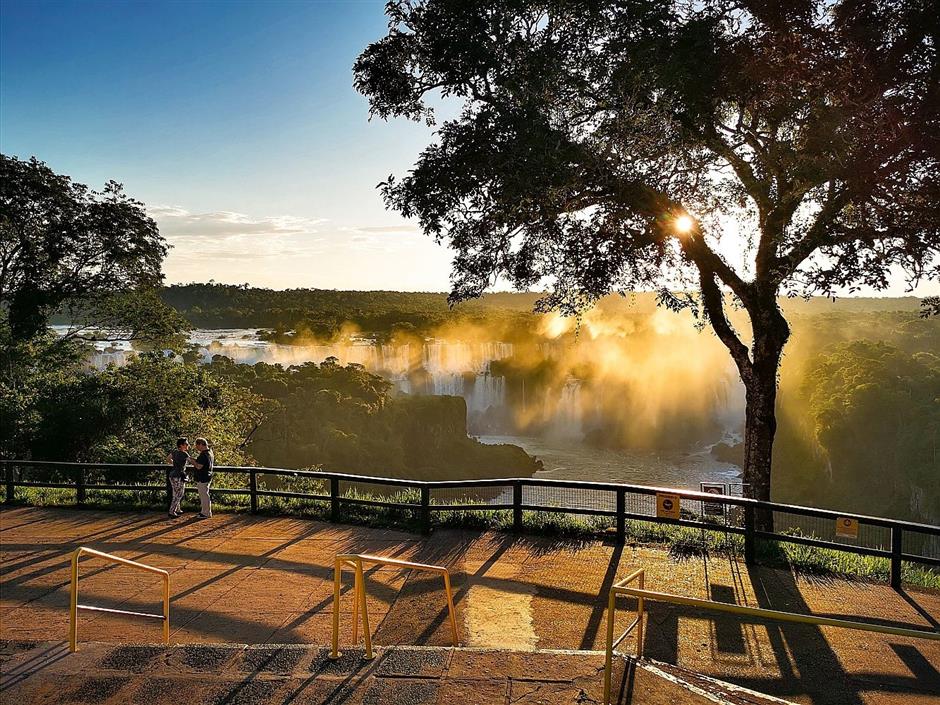
Capturing colourful sceneries in HDR mode
HDR mode helps strengthen the colour of the scenery. If you are young and energetic, this is the most suitable photo mode for you.
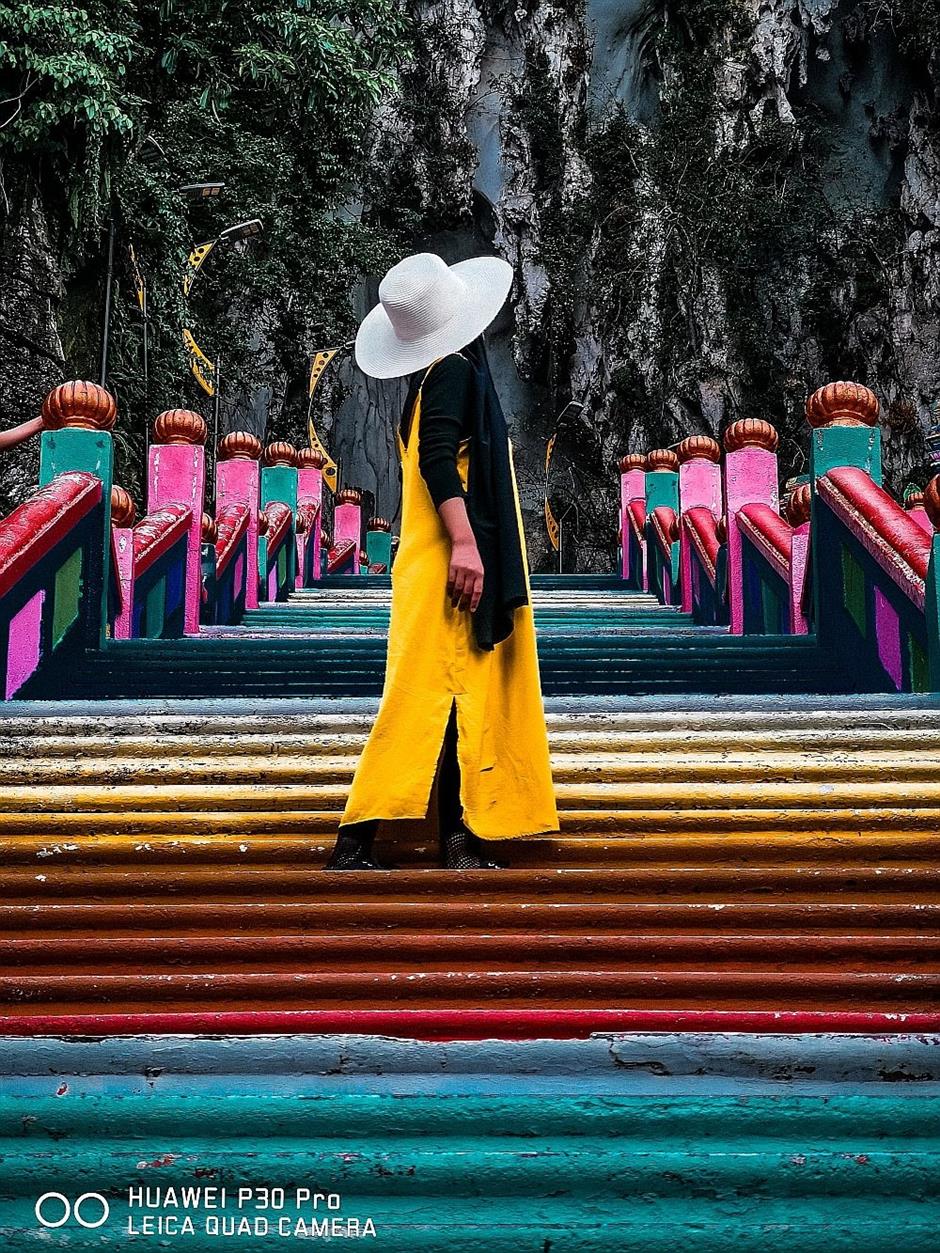
32-megapixel Front Camera
The 32-megapixel front camera on Huawei P30 Pro intelligently recognises you to produce expert selfies, by contouring your face with accurate brightness and sharpness, to reveal your radiance.

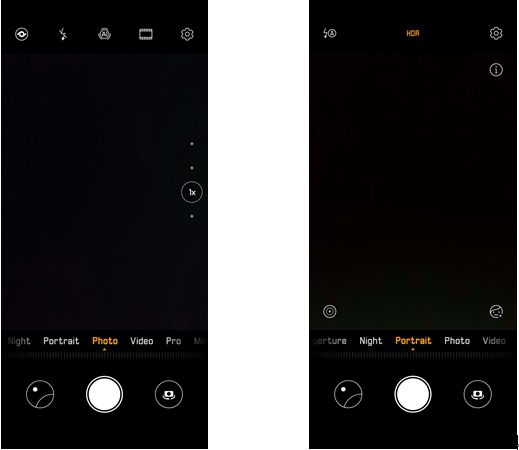
To operate, turn on [Camera], switch to selfie, adjusts the setting according to your photography needs.
So, are you inspired and excited to start taking photos using Huawei P30 Series now?
If you are, put your creativity to the test with these 10 incredible photo modes today!
Also stand the chance to win US$20,000 (RM83,150) and a Huawei P30 Pro smartphone when you join the Next Image photography contest.
The Huawei P30 retails at RM2,699, while the P30 Pro is RM3,799 and can be purchased at all Huawei brand stores and major telcos.
In conjunction with the Ramadan season, Huawei Online Official is offering amazing deals and surprises when you purchase the P30 Series.
If you purchase a Huawei P30 via the official online store, you are entitled to a Wireless Charging Case and a Huawei Wireless Charger, while the Huawei P30 Pro comes with a Huawei Talkband B5 worth RM599.
On top of that, any purchases that exceed the amount of RM1,500 qualifies you to a lucky draw chance of winning a pair of return flight tickets to Tokyo, Japan.
For details, visit shop.Huawei.com/my/ramadan-2019.html.
Already a subscriber? Log in
Get 20% OFF The Star Digital Access
Cancel anytime. Ad-free. Unlimited access with perks.


