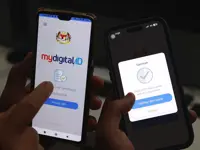
PETALING JAYA: With the transition to MyDigital ID as the sole login method for the MyJPJ app tomorrow (May 1), Malaysians must enrol their devices in the national digital identification system to ensure they are able to continue using the MyJPJ app.
This comes as MyDigital ID targets further growth in registered users this year, aiming for 17 million registered users by the end of 2026. A report from mid-February 2026 states that the platform had achieved almost 10 million registered users at the time.
Functionally, MyDigital ID acts as a single sign-on system that allows users to approve logins to integrated platforms using a password or biometric verification on their device.
This means a person would first need access to the registered device and be able to unlock it before authorising a login, adding a layer of security.
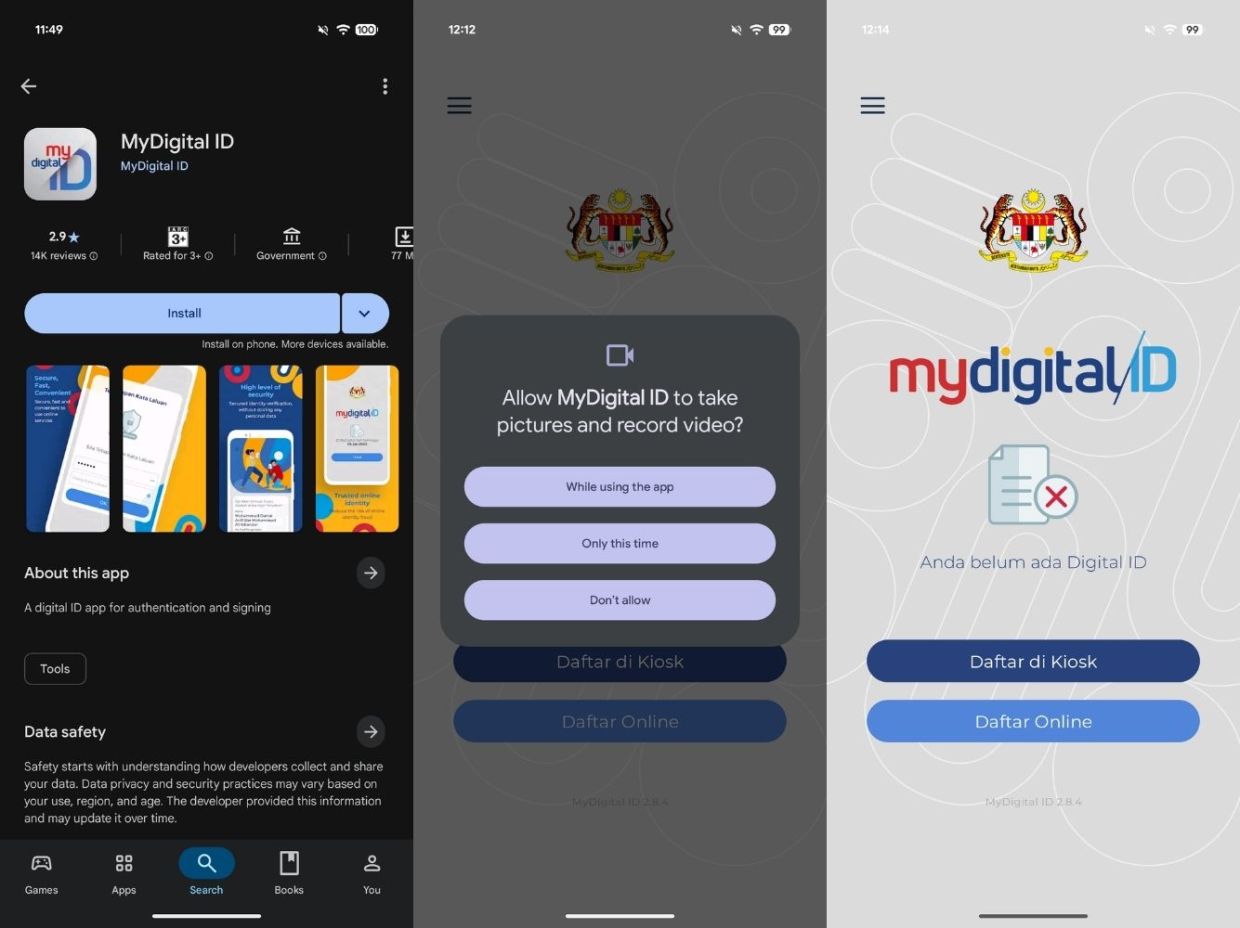
Malaysians keen on signing up and enrolling their devices can do so by first installing the app on the Google Play Store or the Apple App Store.
Once the app is opened, users must grant permission for MyDigital ID to access the device’s camera, as prompted on screen. The captured photos and videos will be used for the eKYC (electronic Know Your Customer) verification process.
Users will then be given the option to register their MyDigital ID at a kiosk (“Daftar di Kiosk”) or online (“Daftar Online”). Those registering at a kiosk should select the kiosk option, scan the kiosk on-screen QR code, and follow the instructions provided.
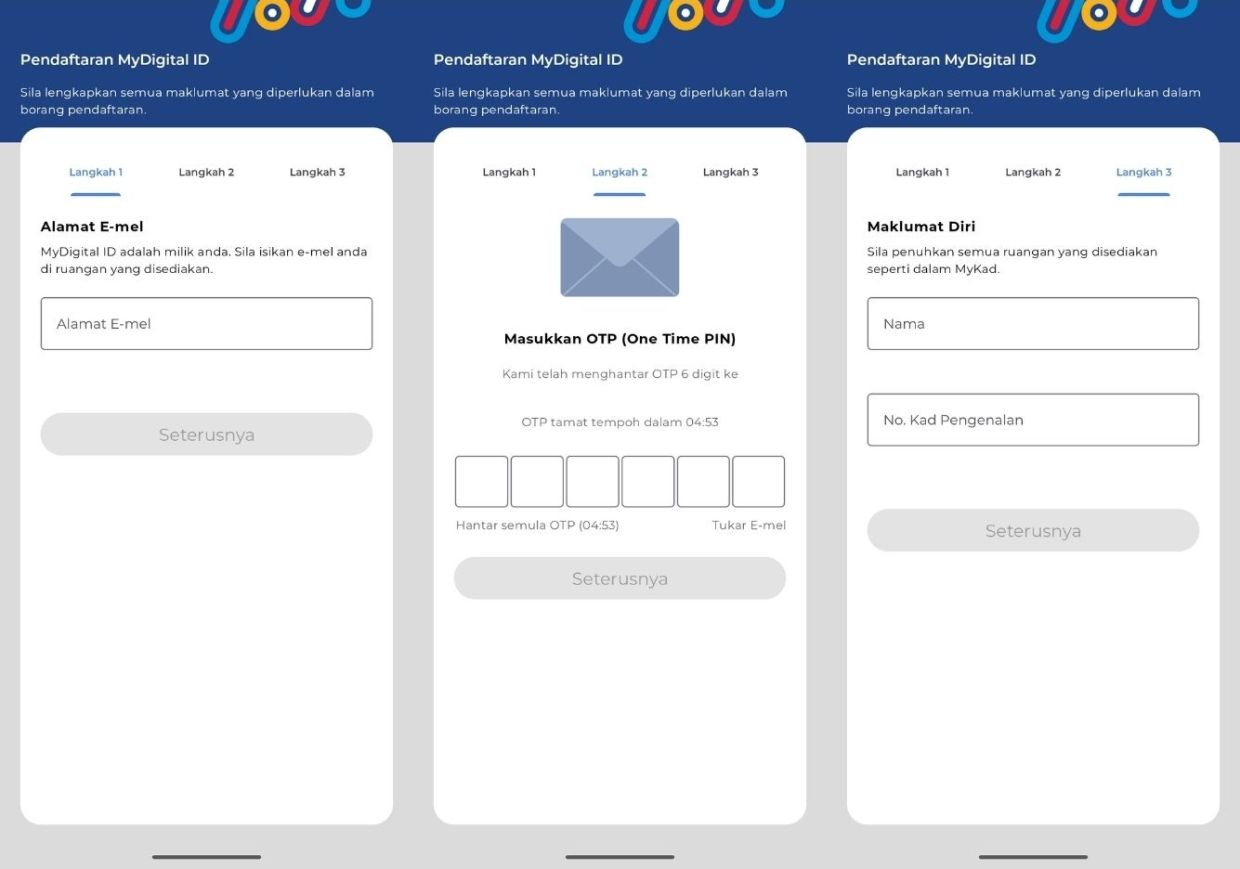
Meanwhile, those registering online should select “Daftar Online”, review and accept the app’s privacy policy, then enter their email address and the one-time password (OTP) sent to their email.
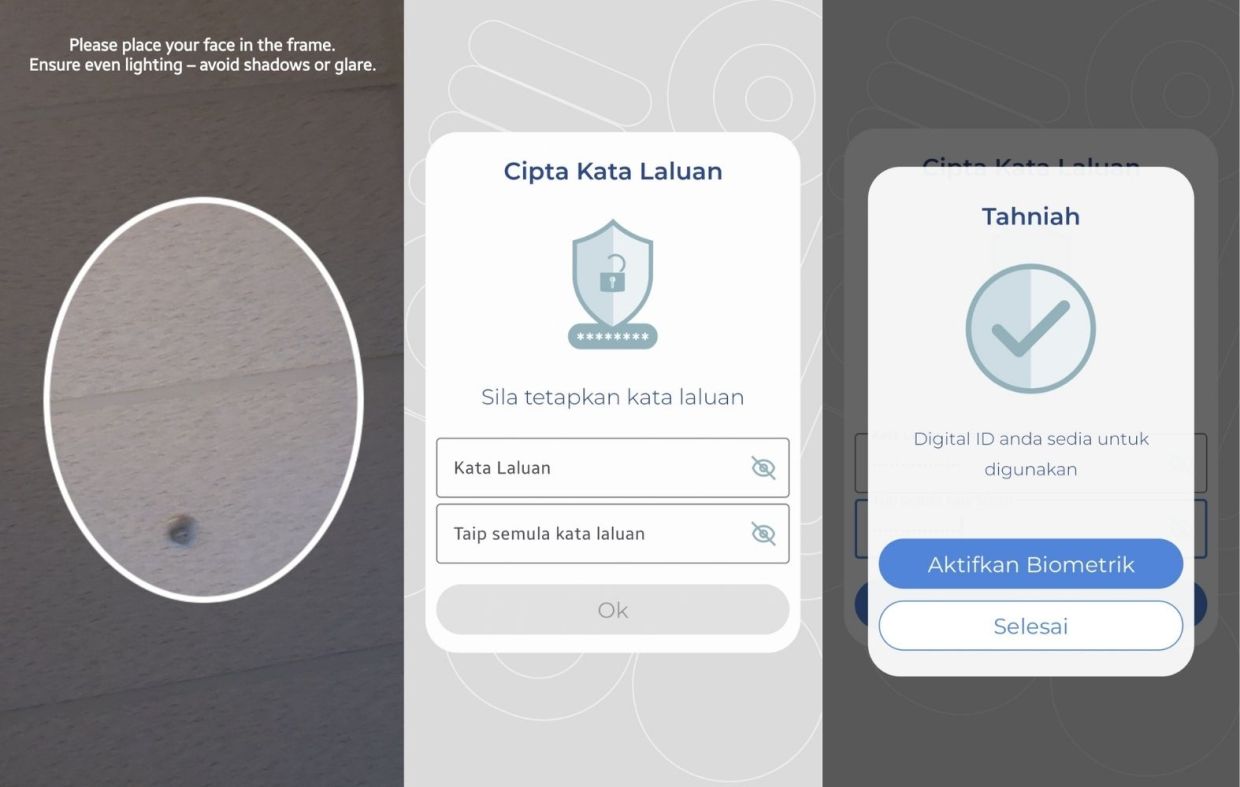
The app will then prompt users to fill in their personal particulars, including their full name and MyKad number. They must then complete an eKYC verification using the device’s selfie camera before setting a password. Once these steps are completed, the MyDigital ID will be created.
Those who prefer not to key in their password each time they approve a login can enable biometric authentication, such as fingerprint recognition or Face ID.
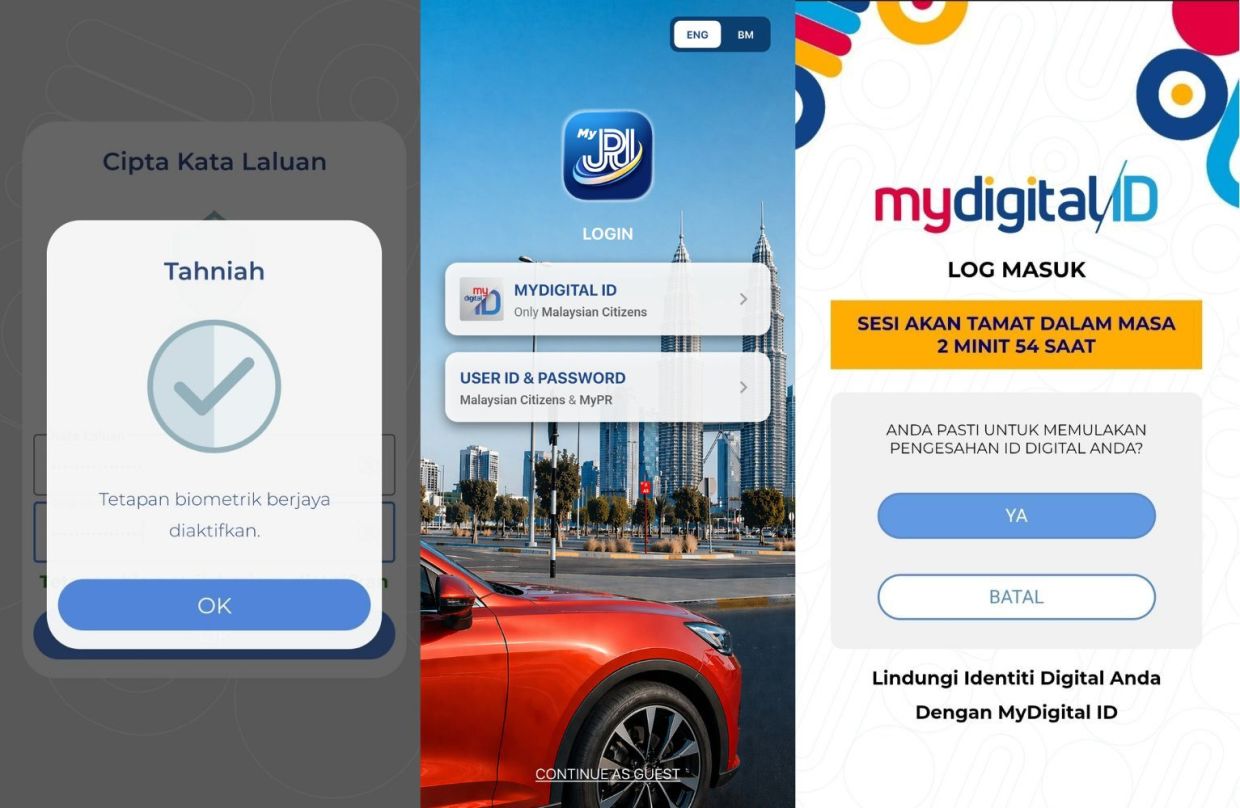
When it comes to logging into the MyJPJ app, users will see a button that redirects them to the MyDigital ID app, where they can approve a login request after either password or biometric verification.
Other government apps, including the National Integrated Immigration System (MyNIISe), MyBayar PDRM and myPTPTN, have already begun using MyDigital ID for logins, while its implementation across 18 banking institutions is currently being tested.