
There is just a month left to file last year’s income tax returns online, with salaried workers due by May 15 and individuals with business income by July 15.
For Malaysians who have delayed their filing this tax season, or first-timers worried about making any missteps along the way, here's a step-by-step guide to serve as a reference.
Note that this guide will focus on those with employment income only, meaning those filing their e-BE forms.
Getting set up
Malaysians who already have their MyTax account set up can skip to the next section of this guide.
First-timers should start off by visiting the Inland Revenue Board of Malaysia's (LHDN) MyTax e-filing portal, available at mytax.hasil.gov.my, which will be used during the e-filing process to claim refunds on overpaid income tax or to make any additional payments.
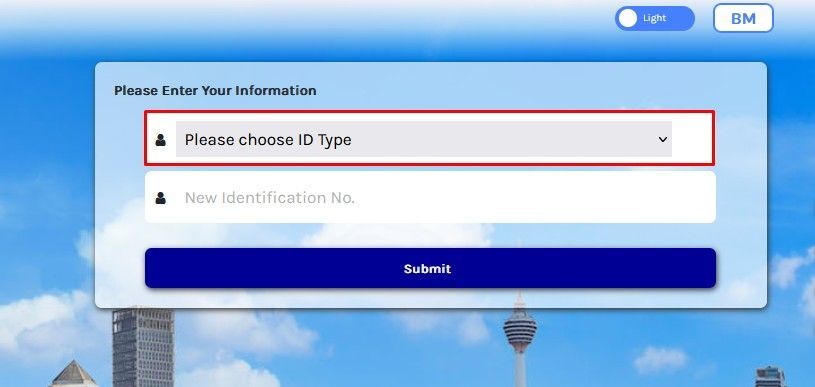
On the login section of the website's main page, choose the type of ID that will be used for the portal – for this guide, the "identification card no", which is the MyKad number, will be used. Other options include passport number, army number, and police number.
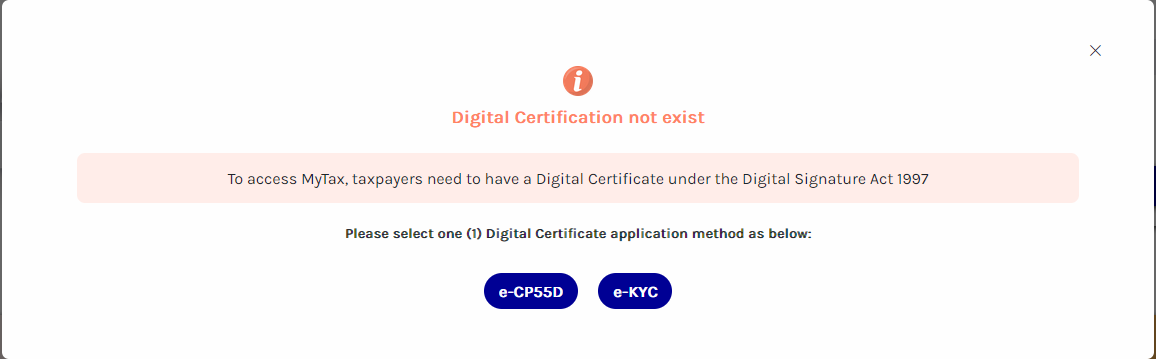
Once submitted, new taxpayers will then be notified that their digital certification does not exist, requiring them to either submit an e-CP55D form or to perform an Electronic Know-Your-Customer (e-KYC) verification.
The e-CP55D process will require the submission of identification documents, after which an activation link will be sent via email. Alternatively, e-KYC would be the faster option, but it can only be performed through the MyTax app on a smartphone.
The e-KYC option will use the smartphone's camera to scan a user's MyKad and face before access is activated.
Following this, simply follow the on-screen instructions to set a password and security phrase before logging in.
Filing your taxes
Taxpayers should first start off by logging in to the MyTax platform. It is worth noting that some users may be met with a notice stating that their digital certificate has expired. All that you need to do is simply follow the on-screen instructions to complete the renewal process in order to regain access.
Once logged into the MyTax platform, users will be shown a dashboard displaying information such as the amount of tax paid or refunded in previous years, submission status for the current and prior assessment years, and a review of any travel restrictions due to tax arrears.
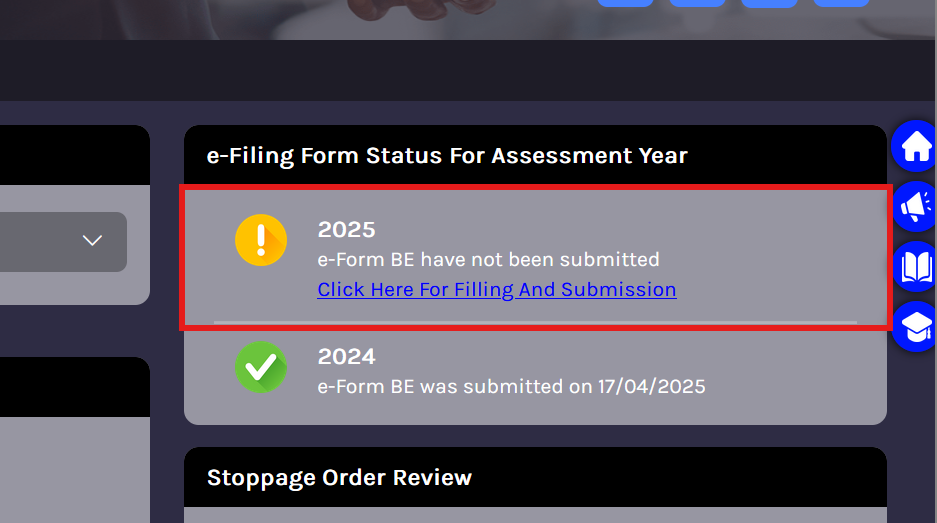
Malaysians who have not filed their 2025 income tax yet will see a submission status stating that the “e-form BE has not been submitted”. Clicking the status opens the individual return form and allows users to start entering their information.
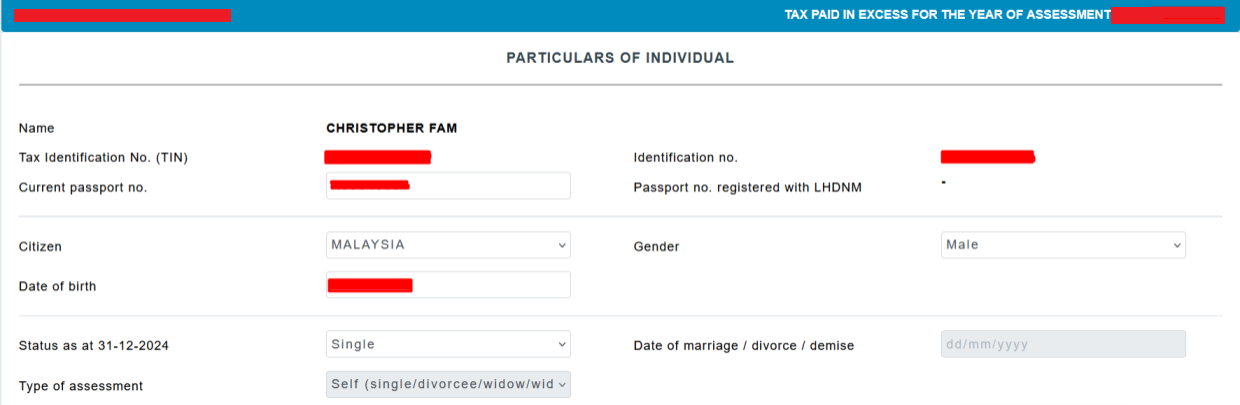
The first page displayed will be for the "Particulars of Individual" section, containing personal details such as a user's full name, Tax Identification Number (TIN), citizenship, marital status, birth date, and identification card number.
All that needs to be done here is to ensure that everything shown is accurate before moving on to the second particulars page, which covers the user's phone number, employer number (included in the EA form), and banking information (which will be used for the tax refund). There is also the option to use DuitNow for the refund.
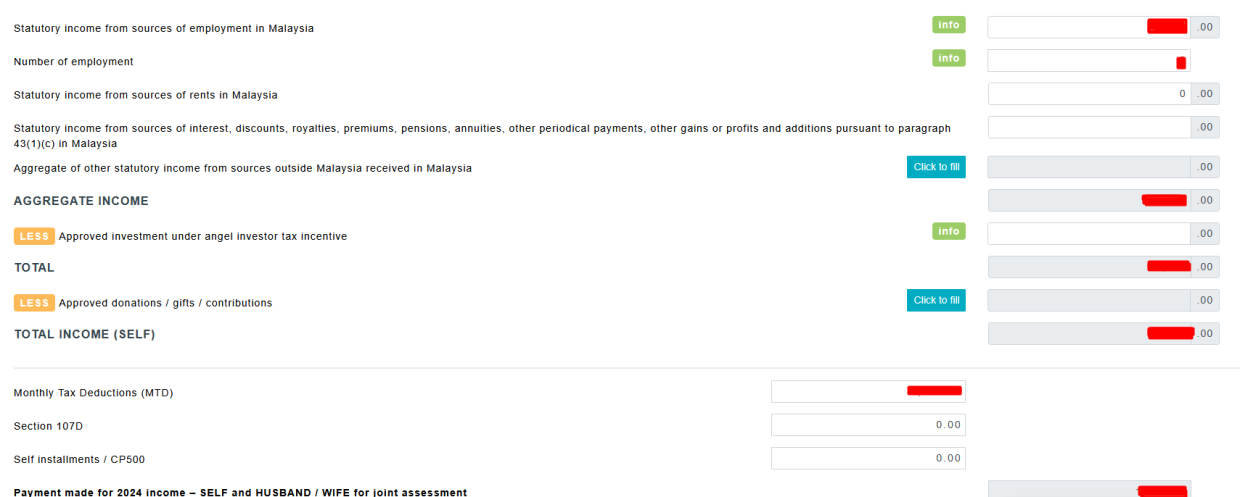
Next up is the income page, where users need to fill in their statutory income, number of employers (usually just one, barring a job change), and monthly tax deductions, which are listed in the EA form provided by their employers.
Those who switched jobs in 2025 will need an EA form from both employers to properly perform their e-filing.
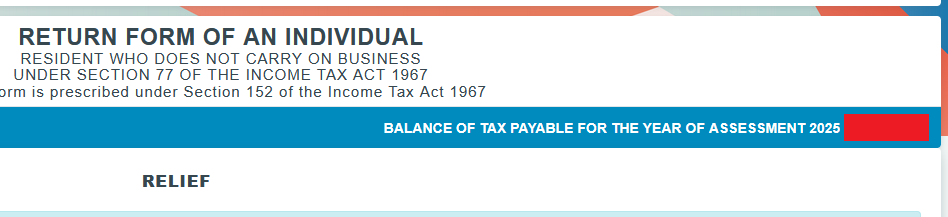
After this will be the tax relief page, where deductible expenses made in 2025 can be entered to reduce the amount of taxable income, which will determine how much a user can get a refund on overpaid taxes, or if they need to pay additional tax.
This appears at the top right of the page, showing whether the user has paid "tax in excess" and is due a refund, or has a "balance of tax payable" and still owes tax.
This can be quite a significant sum, especially if the taxable income goes down a tax bracket due to the deductions, so do be thorough in keying in the required information on eligible purchases and have receipts at the ready.
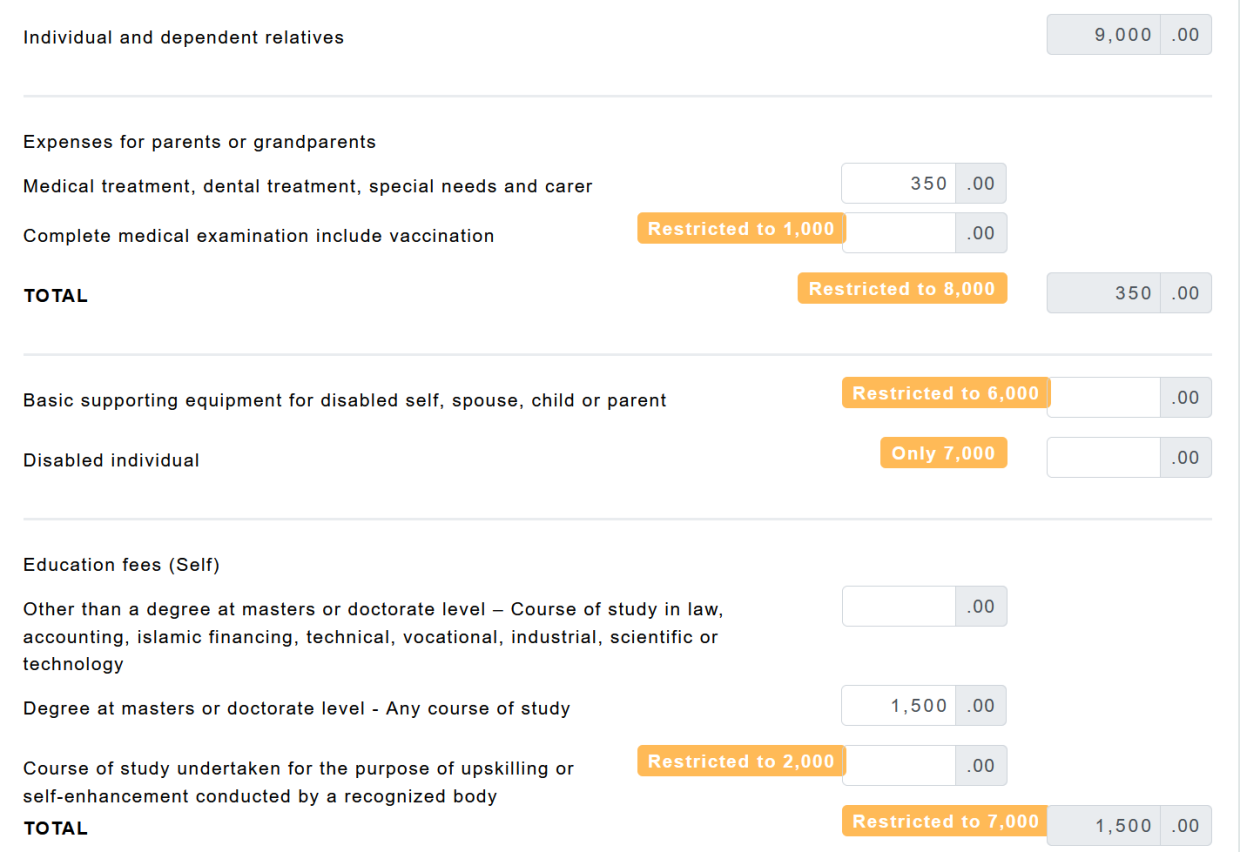
All Malaysians are eligible for RM9,000 worth of tax relief by default. They can also claim the following medical-related expenses for dependants: medical treatment, special needs and carer expenses for parents (up to RM8,000), disability equipment for self, spouse, child or parent (up to RM6,000), and a lump sum of RM7,000 for individuals suffering from a disability.
After that is the education fees section, with total claims limited to just RM7,000, which covers courses at the tertiary level and general upskilling courses (limited to RM2,000) as well.
All courses at the master’s degree and doctorate levels are deductible, but for undergraduate studies, only courses in the fields of law, accounting, Islamic financing, technical, vocational, industrial, scientific and technology are eligible for tax deductions.
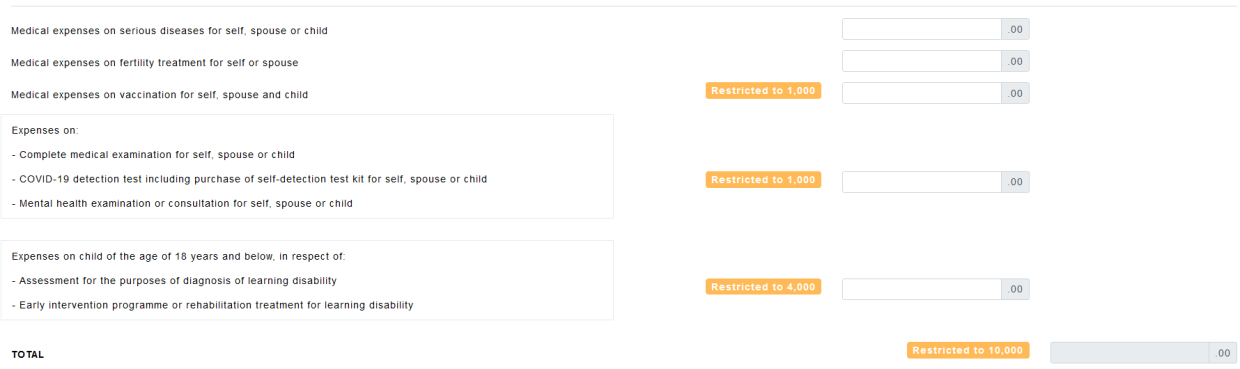
Next up is the medical section, which applies to the user, their spouse and child. Up to RM10,000 in total can be claimed under this category.
Things are generally similar in the following lifestyle section. Malaysians can claim up to RM2,500 on their Internet bill, books and other printed materials purchases, as well as computers, smartphones, and tablets purchased for personal use.
There is also an RM1,000 allocation for sporting equipment, gym memberships, and fees for facility use. This includes expenses borne by a taxpayer for their own benefit, or for the benefit of their parent, spouse, or child.
Malaysians should note to make sure that the Internet bill is issued under the claimant’s name and that the sporting activity is one of those listed under the Sports Development Act 1997.
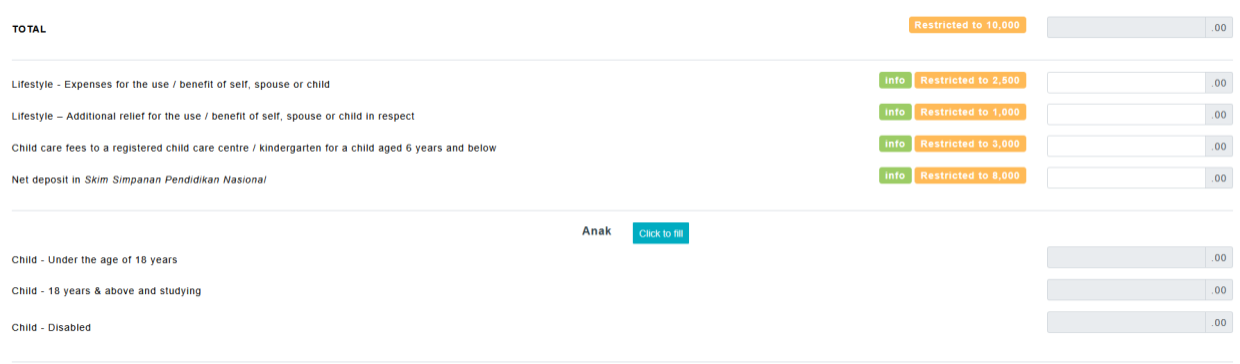
There's also tax relief for childcare fees up to RM3,000, and deposits to the National Education Savings Scheme (SSPN), up to RM8,000. Just make sure to read the claim conditions on the page by hovering over the green "info" button to make sure the specific kind of expense is eligible for that category.
Further tax relief is available depending on the number of children in a household, though this can be claimed by only one of the parents. Do check out the green "info" tooltip for a breakdown of eligibility.
Another thing to take note of is the Employee Provident Fund (EPF) contribution and life insurance relief.
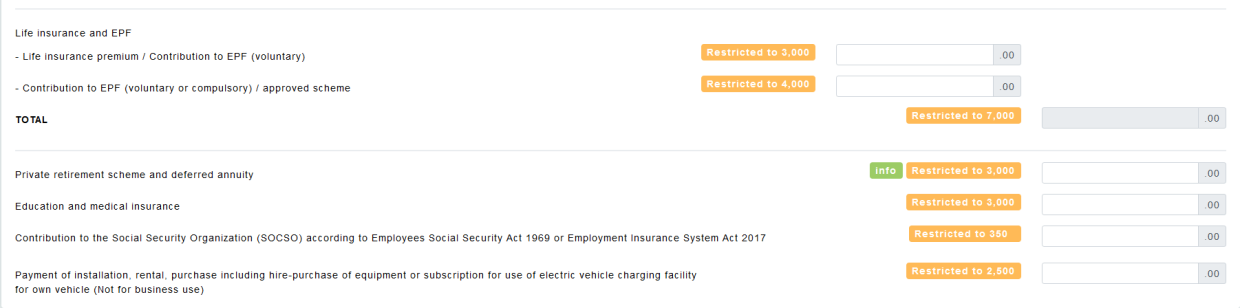
Up to RM3,000 of claims shared between life insurance premiums and voluntary EPF contributions are available, with an additional RM4,000 for both voluntary and compulsory EPF contributions or other approved schemes.
Other remaining items eligible for tax deductions include private retirement schemes (approved by the Securities Commissions) and deferred annuity, education and medical insurance, Social Security Organisation (SOCSO) contributions, and the installation, rental, and purchase of electric vehicle charging facilities for personal use, and religious travel.
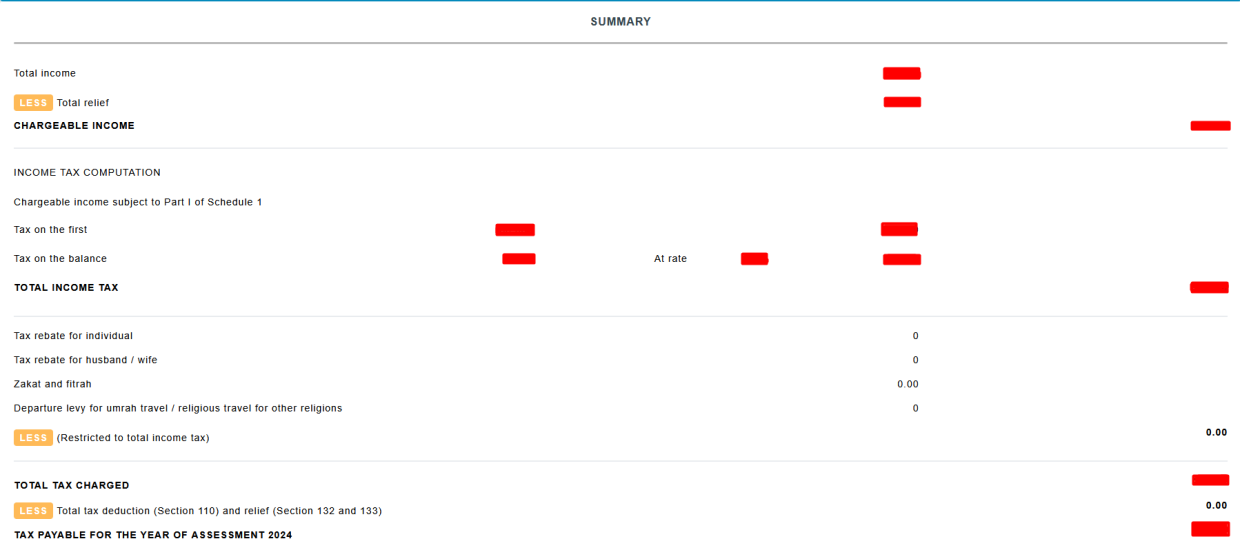
The next page will be a summary of the income and rebate information inputted earlier. Make sure to go through it carefully to ensure there are no mistakes before moving on.
Finally, users will reach the declaration page, where they will need to acknowledge that all the information they provided is legitimate before submitting the form. It is important to make sure that everything is accurate before doing so, as once done, users will no longer be able to edit their submission.
Those who return incorrect information will be subject to a penalty, with all documents about the calculation of the year's tax required to be kept for seven years for LHDN’s reference. It is advised to keep all relevant documentation, such as receipts, during that period.
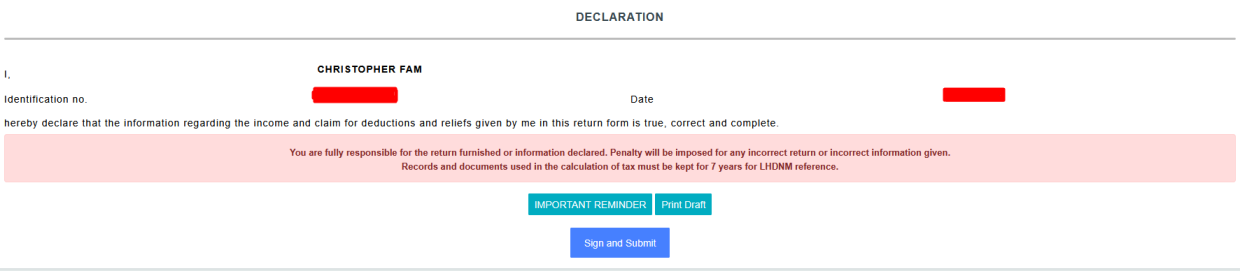
The declaration page also includes additional reminders relating to payment methods, due dates, and consequences for failure to furnish payment (if any) by the deadline.