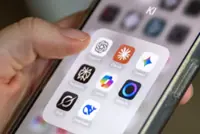
Recently, the ChatGPT iOS app added app integrations, including the ability to interact directly with Apple Music. — Pixabay
A while back, we stopped paying for Spotify. It wasn’t out of protest or principle – it was just one of those decisions you make when you realise how many monthly charges have crept into your life. We already have Apple Music as a part of the Apple One bundle, so it made sense to stop paying for one more thing.
In practice, though, it was kind of annoying. The problem isn’t the catalogue or interface. In fact, there are a lot of things I prefer about Spotify over Apple Music. The real problem, however, was the decade of carefully built playlists. Rebuilding them manually in Apple Music would take hours. Having to add every song, one at a time, meant enough friction that, for a while, we just… didn’t do it.

Sure, there are services you can pay for to move your Spotify playlists to Apple Music, but I’m not sure how I feel about random third-party services that require you to sign into your Spotify and Apple accounts. Actually, I know exactly how I feel about them, and it’s just not something I’m going to do.
Then, almost accidentally, I found what might be the most genuinely useful thing I’ve done with ChatGPT on an iPhone yet.
Recently, the ChatGPT iOS app added app integrations, including the ability to interact directly with Apple Music. That alone sounded mildly interesting. I played around with it long enough to connect my Apple Music account and ask ChatGPT to make me a Christmas Playlist. What I really wanted, though, was the playlist I’ve been listening to for years – the one I made in Spotify.
Then I realised that ChatGPT could probably just recreate that playlist, but I didn’t want to have to type up the whole list. Instead, I opened Spotify, pulled up my Christmas playlist, and took a few screenshots. Then I opened ChatGPT and said, essentially: “Create this playlist in Apple Music.”
That was it. ChatGPT read the screenshot, identified every song, matched them in Apple Music, and built the playlist automatically. There was no manual searching or copy-pasting track names. And, most importantly, there were no sketchy third-party migration tools involved.
It worked perfectly (other than my typo for the playlist name). Every track was there, in order, ready to play, in about the same amount of time it would have taken me to add maybe two songs by hand.
What struck me wasn’t just that it worked. It was why it worked so well. This wasn’t ChatGPT generating content, or summarising text, or helping me brainstorm. It wasn’t impressive because it was coming up with something clever. It was impressive because it just did something tedious on my behalf – and did it perfectly. This is literally the promise of personal computing at its best: computers handling the boring, mechanical work so humans don’t have to.
In this case, I already had the information. The playlist already existed in Spotify. I didn’t need creativity or recommendations. I just needed something to take the information from one app and put it in another. I could have done it myself, but I am just too lazy to be bothered going through and recreating the playlist one song at a time. That, however, is exactly the kind of task computers excel at, and humans resent.
The other thing that made the experience stand out was how closely it resembles what Apple has been promising – and not yet delivering – with Apple Intelligence. At least, in concept.
Apple’s vision, at least as presented, is about deeply personal, context-aware intelligence that works across apps on your behalf. The demos emphasise convenience: pulling information from one place, acting in another, and reducing friction. It’s about your iPhone acting on information in ways that are truly helpful. This playlist migration is exactly that.
And yet, it didn’t come from Apple’s own AI features. It came from a third-party app that understands screenshots, has permission to interact with Apple Music, and – crucially –just does the job.
There was no setup flow or “skills” to configure. I didn’t have to give it some kind of special command or think like a developer. I acted like a normal person with a normal problem, and the software did its thing.
Most people don’t need AI to write a screenplay or generate a business plan on their phone. They need help moving a playlist or organising photos. They want to turn an email thread into a calendar event or handle the dozens of tiny digital tasks that accumulate friction over time.
What made this experience feel “brilliant” was that it “just worked.” That used to be Apple’s thing, but nothing about Apple Intelligence makes me think the company is thinking about Siri in this way.
I rebuilt an entire Christmas playlist in Apple Music in under a minute, using nothing but a screenshot and a sentence. Imagine if I were able to just open the Spotify app and ask Siri to do the same thing. There’s no reason it shouldn’t be able to do that. If AI is going to earn its place on our most personal device, this is the bar.
For now, the best example of that I’ve found on an iPhone didn’t come from Cupertino. It came from an app doing exactly what I needed – and then getting out of the way. That’s the kind of intelligence people actually want. – Inc./Tribune News Service