BERLIN: Whether it's the Northern Lights, a lunar eclipse or the Milky Way, the night sky often offers spectacular photo opportunities.
But for a long time, you could only photograph such natural phenomena with expensive equipment.
But thanks to internal image optimisation, many smartphone cameras can now take good astrophotographs, says IT specialist site Heise online.
How to take astrophotos with your smartphone in five steps:
- Right location
To photograph subjects in the night sky, find a spot where it is as dark as possible. Light pollution maps such as the "Light Pollution Atlas" can help as they show the levels of sky brightness in different colours. The darker the colours (such as green or blue), the darker the location is in principle.
- Reduce light
Reduce the display brightness and activate night mode (dark mode) in the display settings so that your eyes can better adjust to the darkness.
- Pick the right mode
Activate night mode in the camera app. Many smartphones now even have a mode for astrophotography.
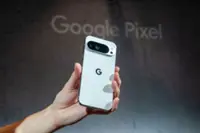
- Current Google Pixel smartphones automatically activate astro mode from night vision mode when the device is pointed at a suitable subject and it is dark enough. After pressing the shutter button, a countdown displays the remaining duration of the longer exposure, often 4 minutes. Important: In the camera app settings under Advanced, Time lapse for astrophotography must be activated.
- With many Samsung Galaxy phones, you can use the Expert RAW app for astrophotography.
- Focus on the distance
If possible, set the camera focus to "Wide" or "Far" especially if your camera app does not offer a special astro mode.
- Best with a tripod
Ideally, use a tripod. Small, universal mobile phone tripods that can hold your smartphone are available for around $10.
- But try holding the camera steady first.
- Alternatively, if the perspective allows, fix all the settings ready to take the photo, then set the self-timer and place your phone flat down on the ground. – dpa