Malaysians are now finally able to purchase their My50 travel pass from the comfort of their own home using the Touch 'n Go (TNG) eWallet app.
The ability to do so was introduced on July 1, with Transport Minister Anthony Loke stating that the digitalisation effort would reduce the time commuters spend waiting in line at physical Rapid KL counters.
For those unaware, the My50 pass is a 30-day pass costing RM50 that grants Malaysian commuters unlimited rides on Rapid KL transport services, including the LRT, MRT, BRT, Monorail, and Rapid Bus.
Those who purchase the My50 travel pass via the TNG eWallet will need to link it to an enhanced NFC-capable TNG card for use, while those who prefer using their MyKad can continue to renew the pass at counters as usual.
Do note that users will need to perform the electronic Know-Your-Customer (eKYC) verification in the app before being able to get their travel pass. More information on getting that done is available on the TNG eWallet website.
How to get your pass
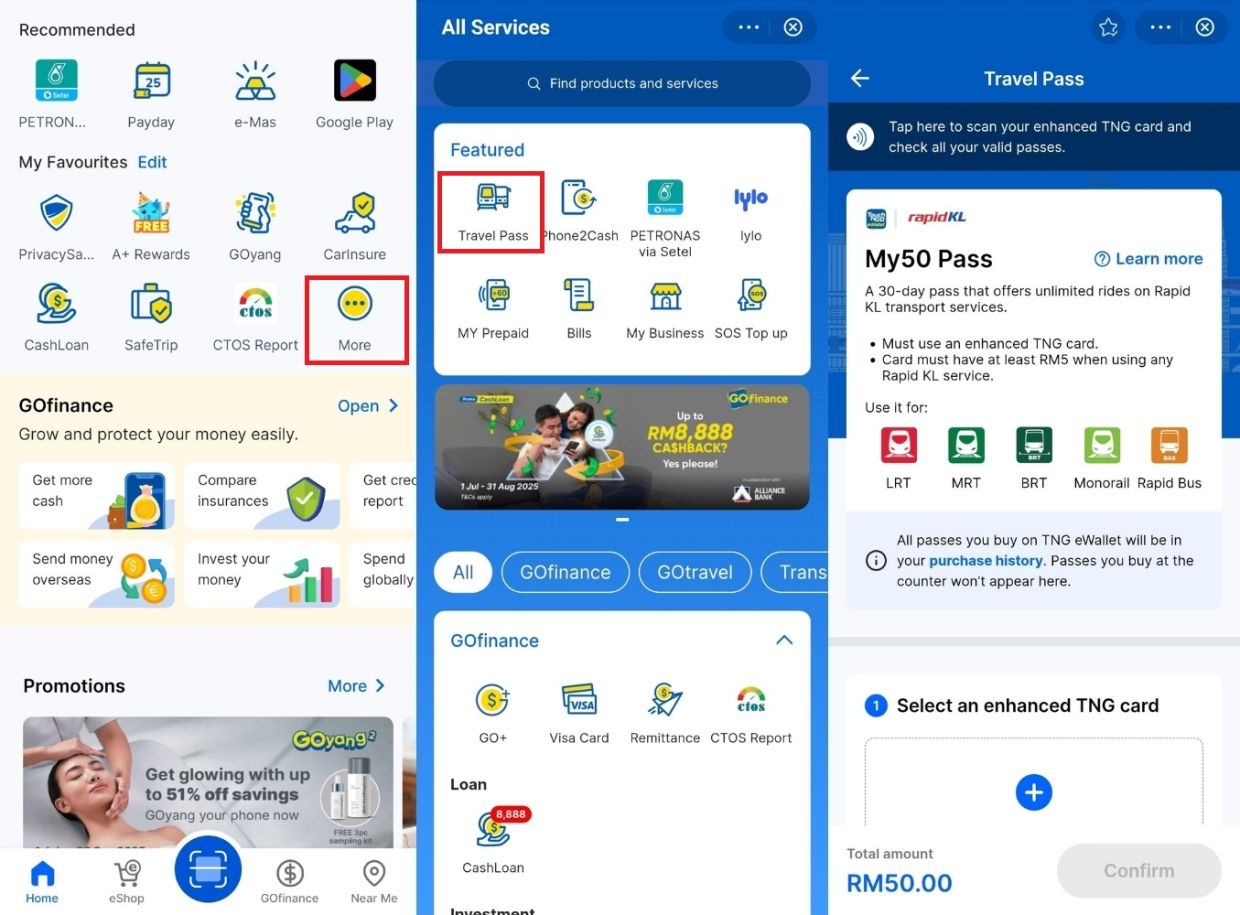
Once users are logged in and have completed the eKYC process, they can start by navigating to the "Travel Pass" mini program. Just scroll down on the app's home page and tap on the "More" button.
From there, they will be brought to the "All Services" menu, where they can tap on the "Travel Pass" option at the top of the screen. The page will then display the details on My50, along with the ability to link an Enhanced TNG card to the travel pass.
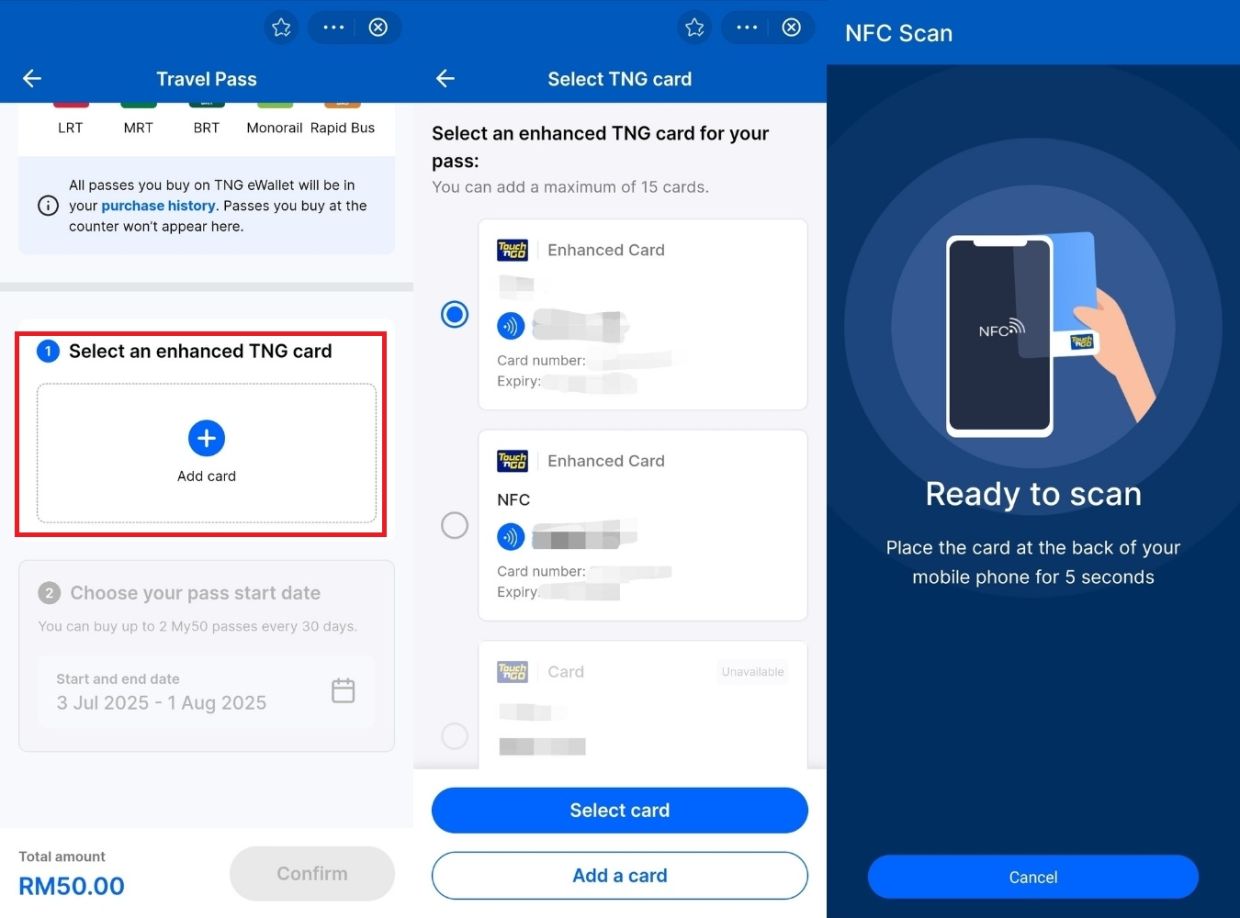
Users looking to purchase the pass can tap on the "Add card" button, which shows up as a plus symbol, and select an Enhanced TNG card that is already linked to the e-wallet account.
For those who have not yet added a card, this can be done by selecting the "Add a card" option at the bottom of the page and following the on-screen instructions.
Once a card is chosen, users will then be prompted to scan the card by holding it to the back of the device for five seconds.
After that, they will need to select the activation date for the pass, which means they are not forced to use it immediately and can instead plan based on their intended travel schedule.
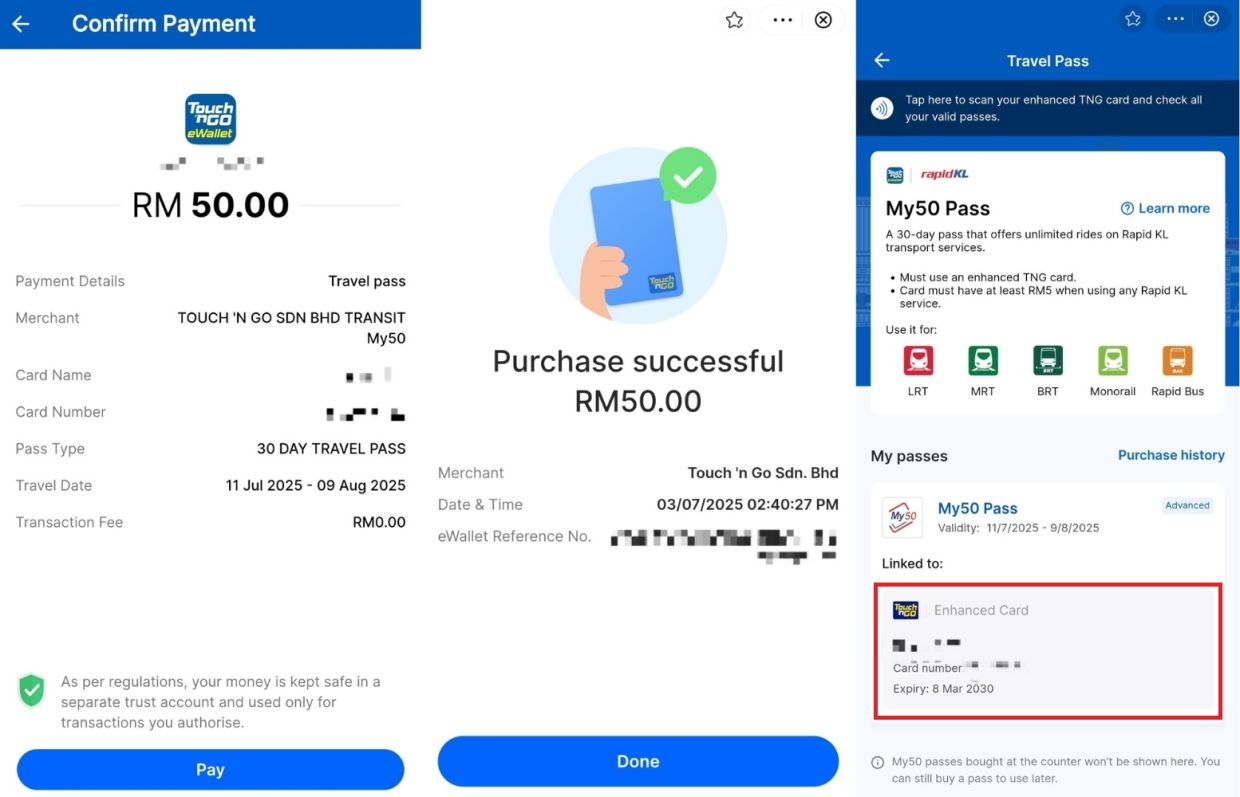
Finally, the page will then allow users to tap on the "Confirm" button to proceed with payment, prompting them to scan the chosen card again by holding it to the back of the device to complete the transaction and activate the pass.
Users who complete the transaction will then be able to check their active My50 pass in the TNG eWallet's "Travel Pass" mini program.
It is worth noting that the TNG NFC charms are also compatible with the My50 pass, so commuters who prefer using the charm instead of a physical card have the option to do so.